Keepfold
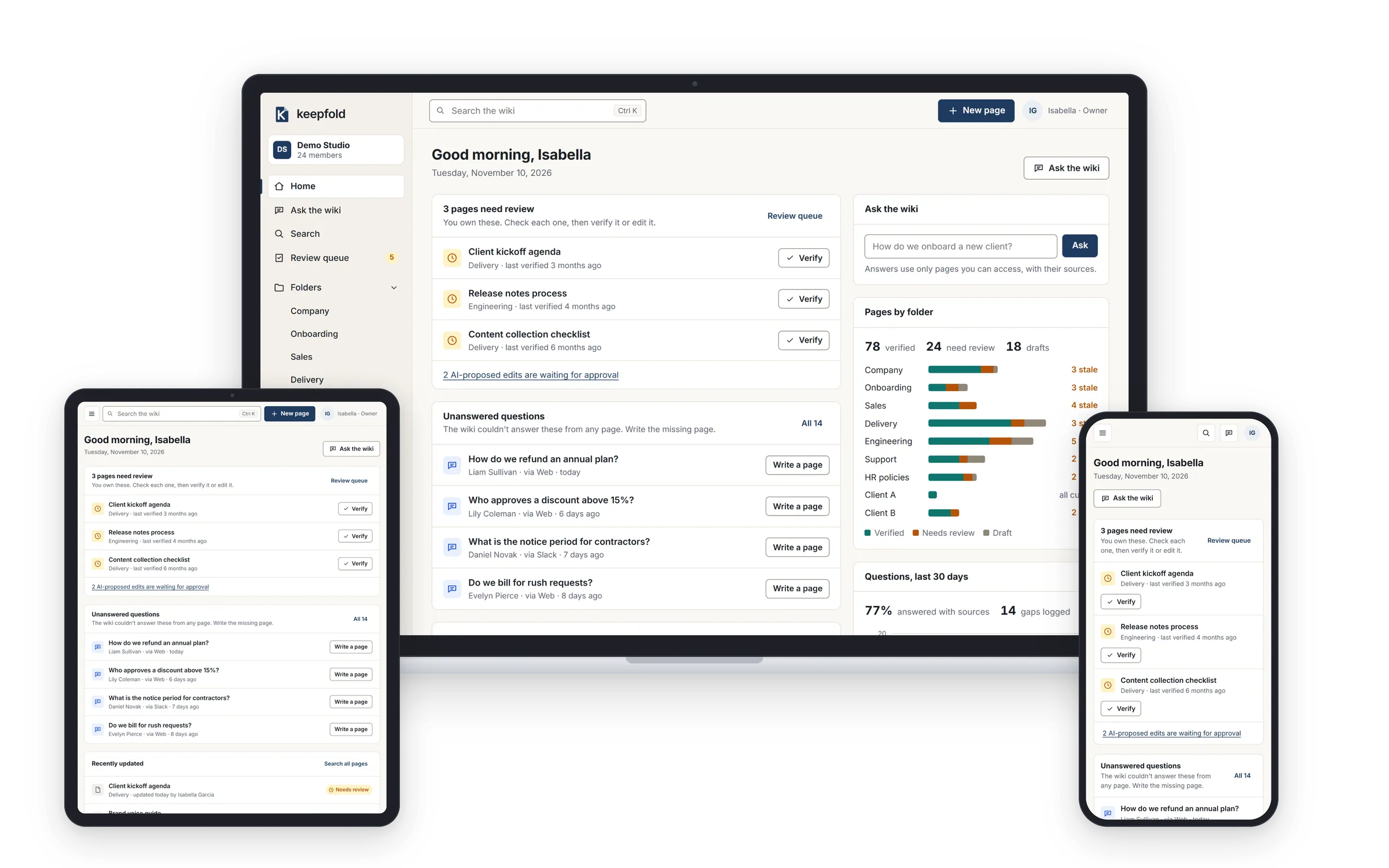
Keepfold is a Virtuafied Solutions concept for an internal knowledge base for small teams, with permission-filtered search, cited AI answers and folder-scoped MCP access.
At a glance
Type
Internal tool, a team wiki with AI answers and MCP access
For
Owners, editors, viewers and client guests in small teams of about 5–50 people
Screens
8 key screens
Roles
4, with permissions per folder
Devices
Laptop, tablet and phone
Proposed stack
Next.js, Django Ninja, PostgreSQL with pgvector, Claude API, MCP server
The problem
Know-how in too many places, and AI tools that see too much
Small teams keep what they know in too many places. A process lives in one doc, the latest change in a chat thread, and the real answer in someone's head. The big wiki tools are built for large companies. Reviewers describe Confluence as heavy and slow for smaller teams, with search that slows down as a workspace grows. Teams on lighter tools still report cluttered search and confusing permissions as content piles up.
Now teams also want their AI tools to read their docs. With coarse permissions, an assistant sees either everything or nothing, and a 2026 setup guide for one popular wiki's official MCP server notes how hard it is to narrow its access. The result is the same question asked again, slow onboarding, and outdated pages that people still trust. Keepfold is our concept for fixing that, shown as a clickable prototype with dummy data.
Goals
Find any answer, with its source
Keep every page owned and current
Let AI tools help without seeing too much
The concept
One folder rule, everywhere
01
Write it once
Write a page in a fast block editor, start from a template, and save it as plain Markdown in the right folder.
02
Find it
Search matches words and meaning, and only ever shows pages you're allowed to see.
03
Ask it
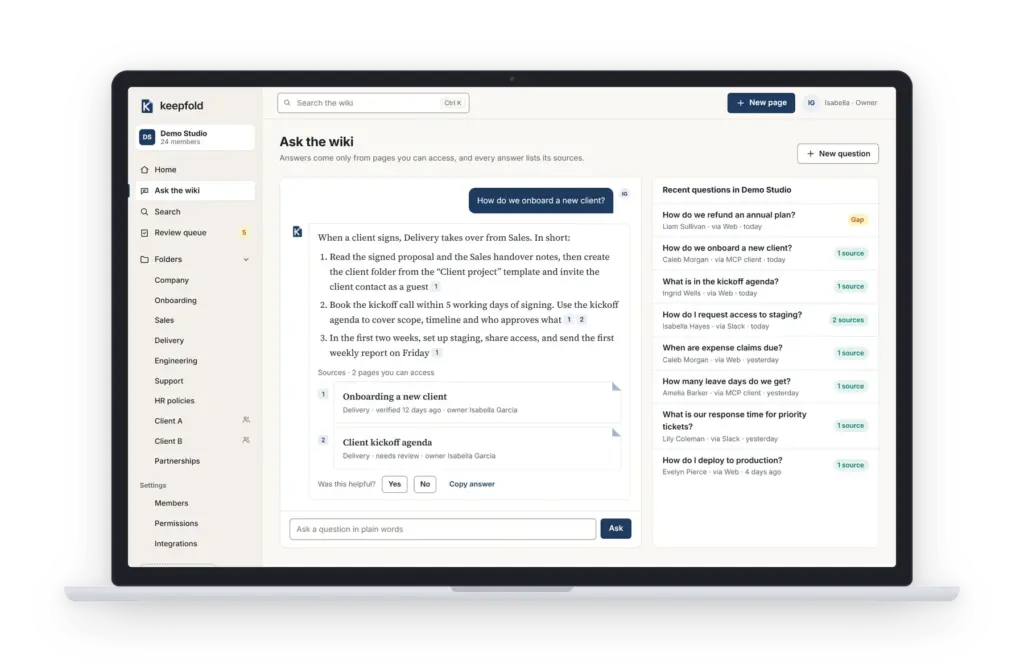
Ask in plain words and get an answer that cites its pages. Questions it can't answer become a list of pages to write.
04
Keep it current
Every page has an owner and a “last verified” date. Stale pages land in the owner's review queue.
05
Connect AI safely
Give an AI tool a token for chosen folders, read-only or propose-only. Anything it suggests waits for a person to approve.
Key features
A wiki you can search, ask and trust
Ask the wiki
Answers are built only from pages the person can access, and each one lists its sources. When no page has the answer, the question is logged as a gap for the folder's owners.
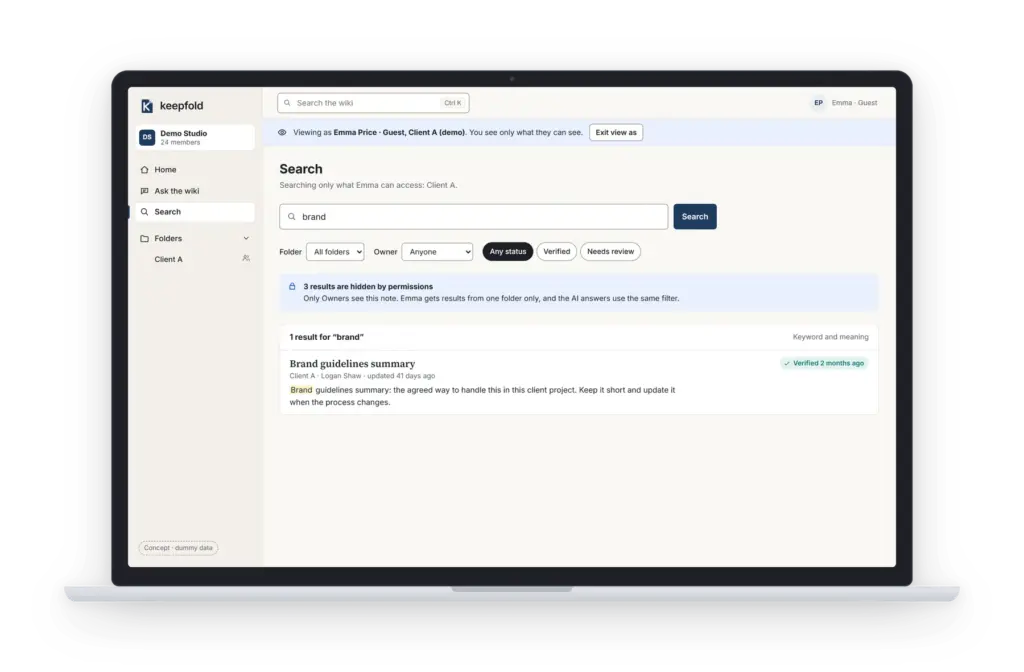
Search that respects permissions
Keyword and meaning search, with filters for folder, owner and status. The permission filter sits inside the query, so restricted pages never show up, and Owners can see how many results a guest wouldn't.
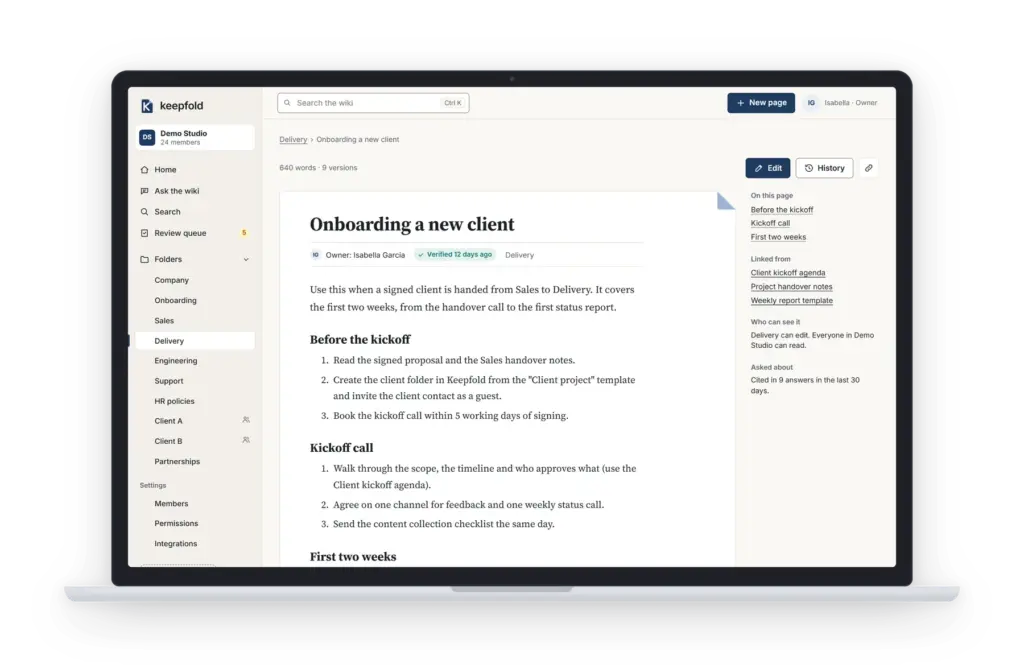
Pages you can trust
Each page shows its owner, its folder and when it was last verified. Pages read like documents, and every save is kept in the version history.
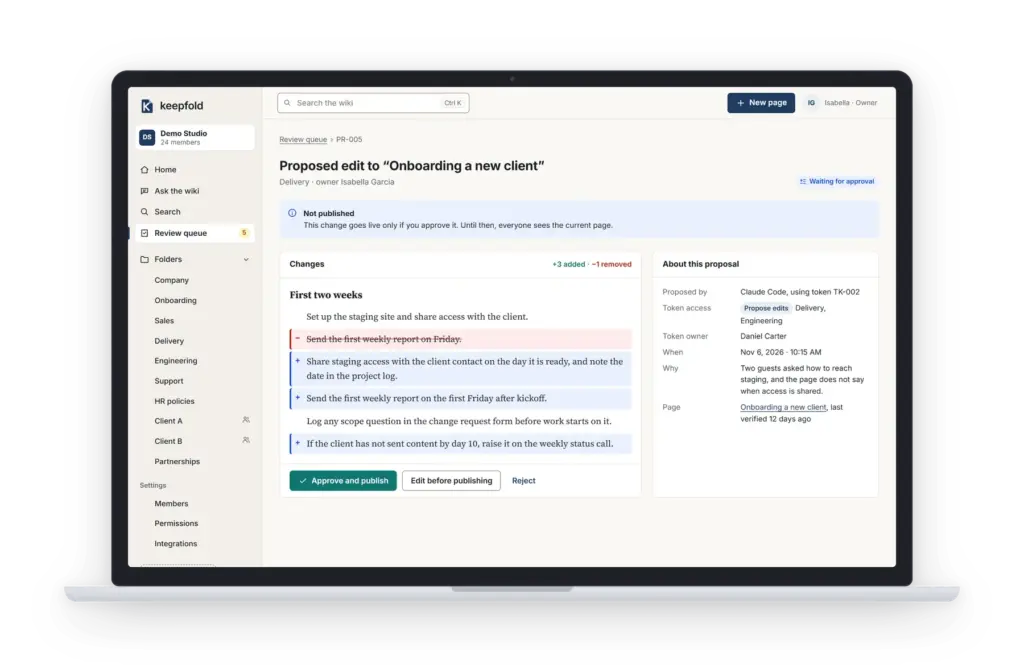
AI edits you approve
Changes an AI tool proposes arrive in the review queue with every addition and removal highlighted. Nothing goes live until someone approves it.
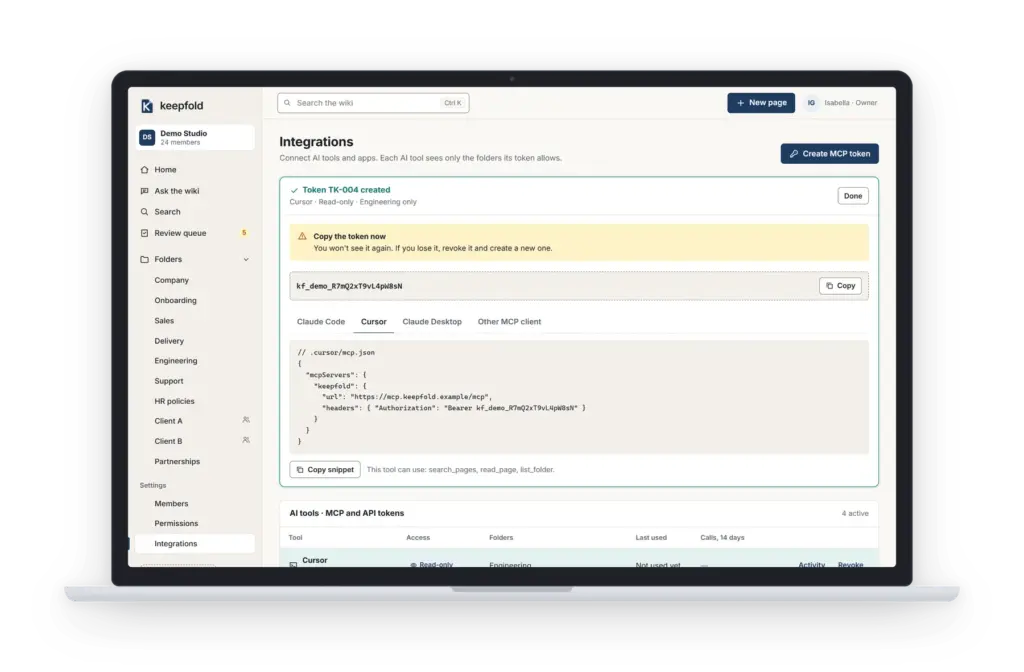
MCP tokens scoped to folders
Connect Claude Desktop, Claude Code or Cursor with a token that reads only chosen folders. Each token has its own setup snippet and a log of every call.
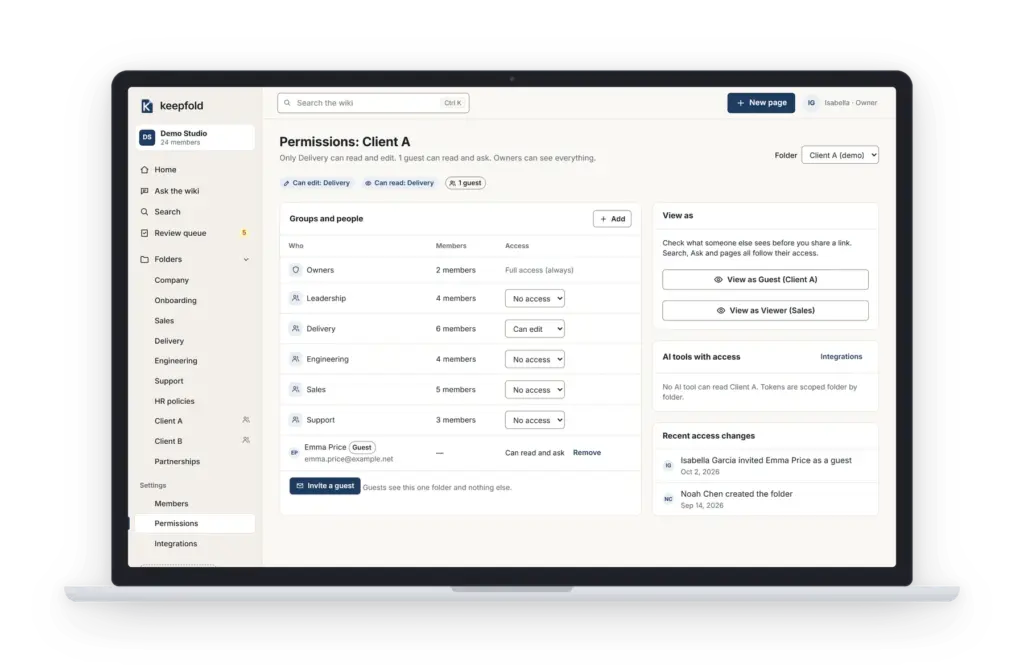
Guest access and “View as”
Share one client folder with a guest and nothing else. Owners can view the wiki as a guest or a viewer to check what they see.
Screens
Built for reading as much as writing
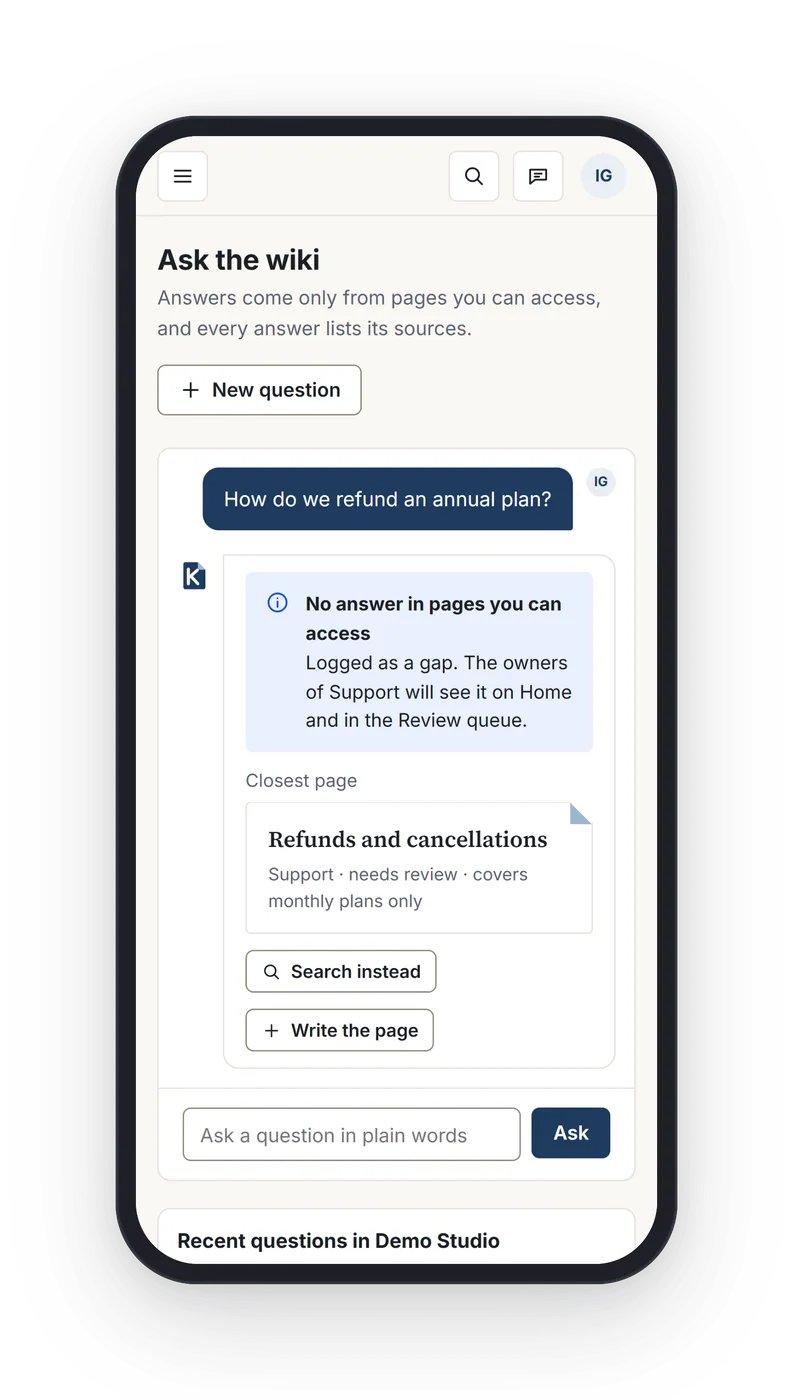
A question with no answer, logged as a gap, phone view
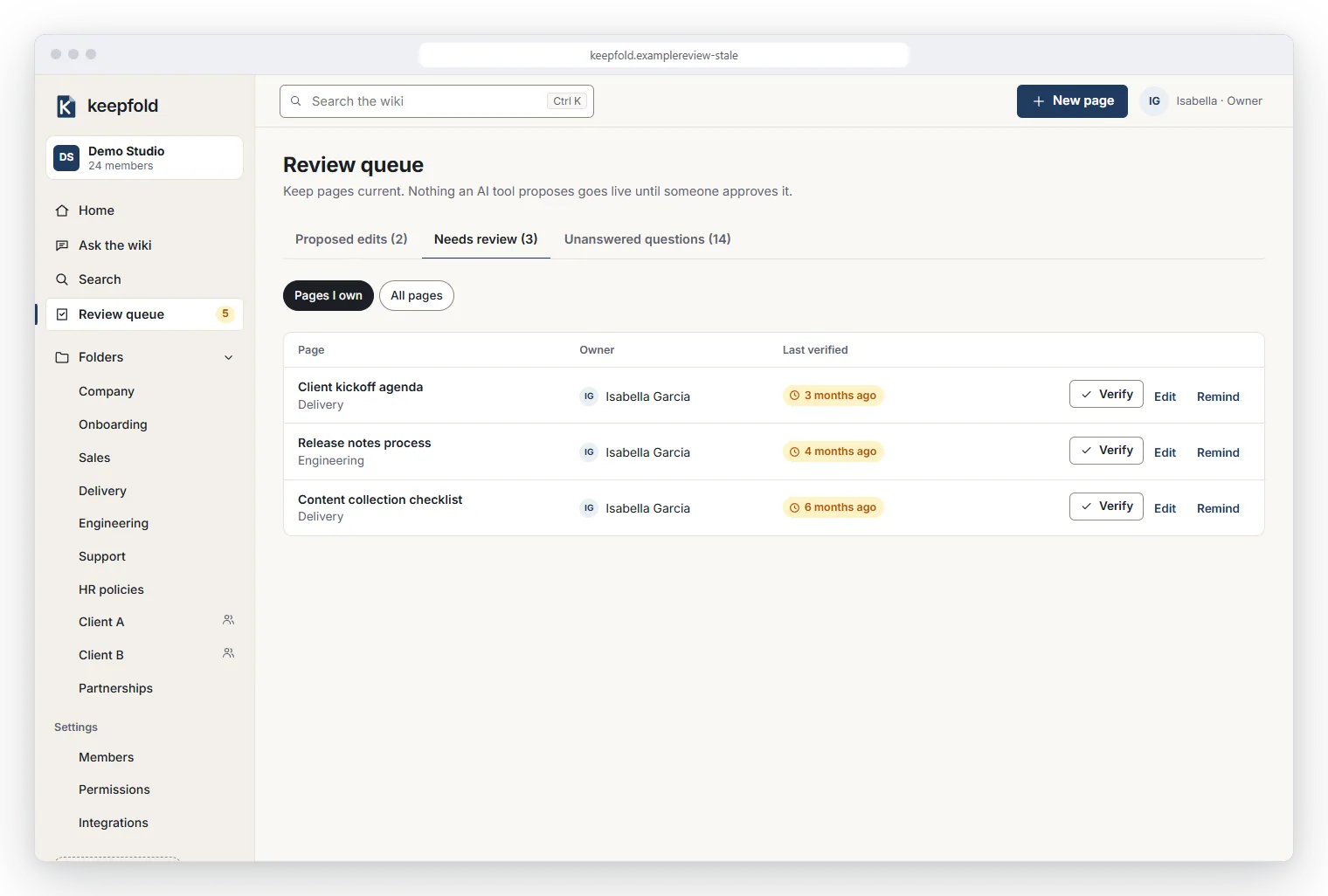
Pages that need review, laptop view
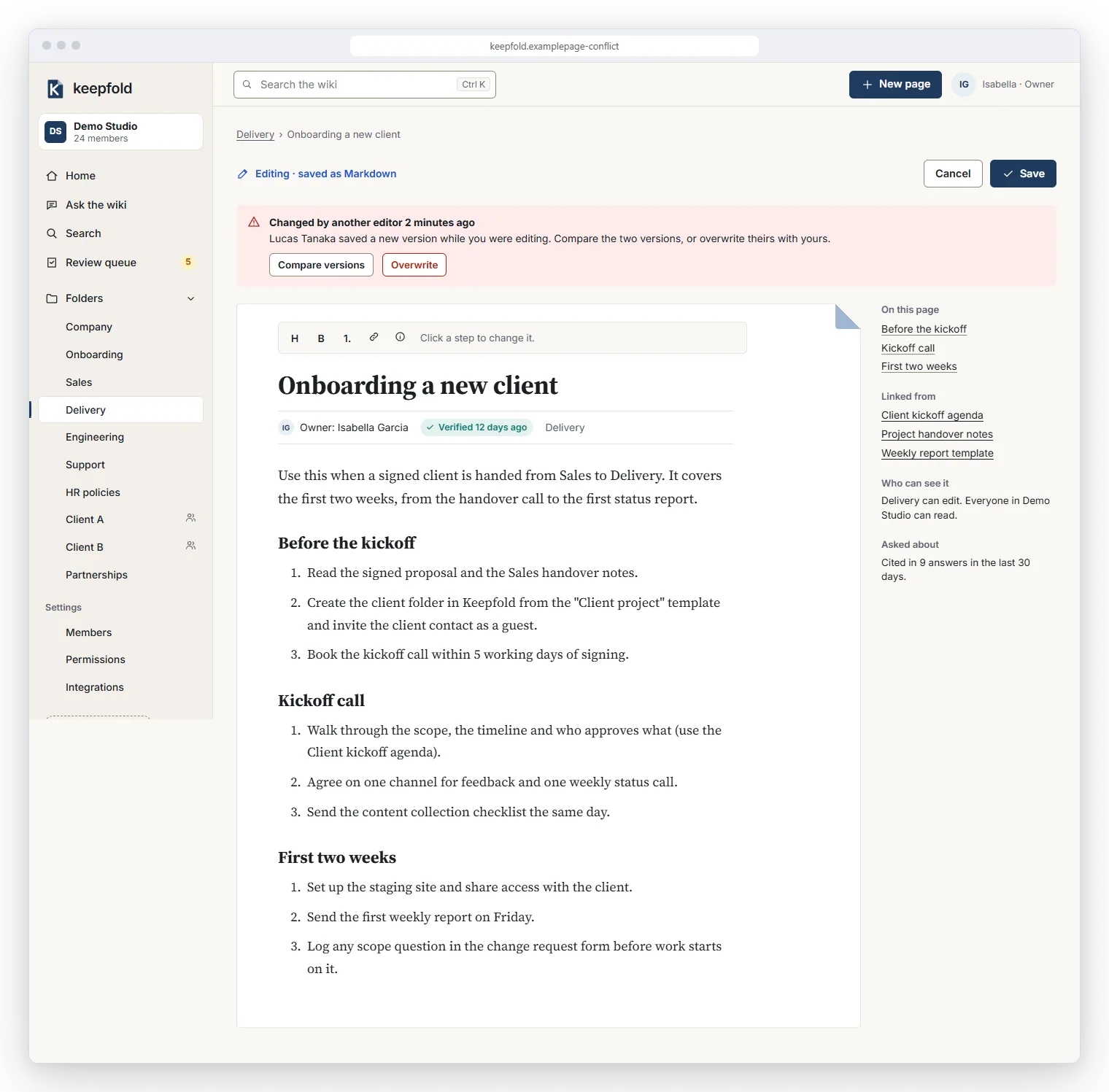
A save conflict while editing, laptop view
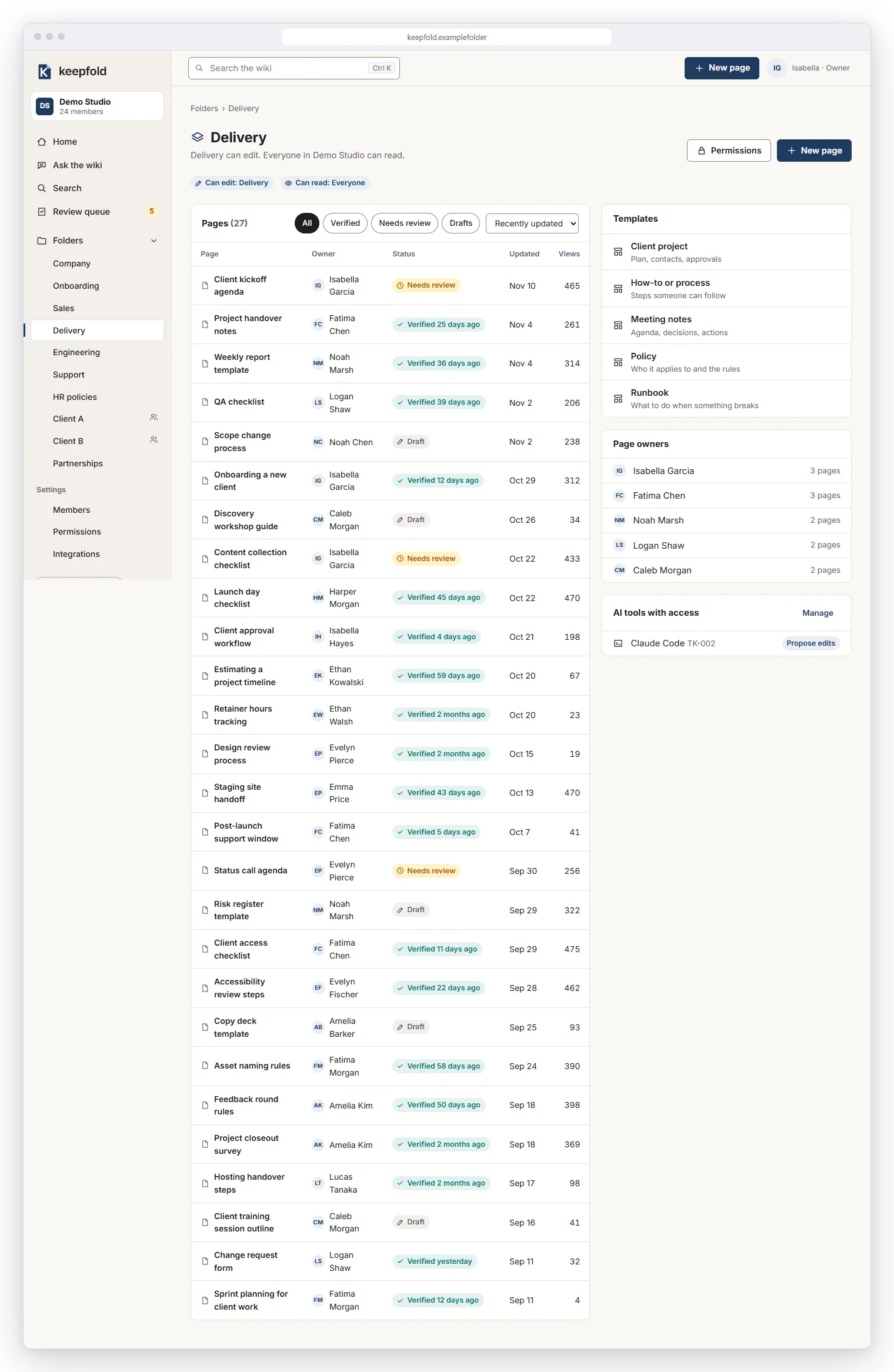
A folder with its pages and owners, tablet view
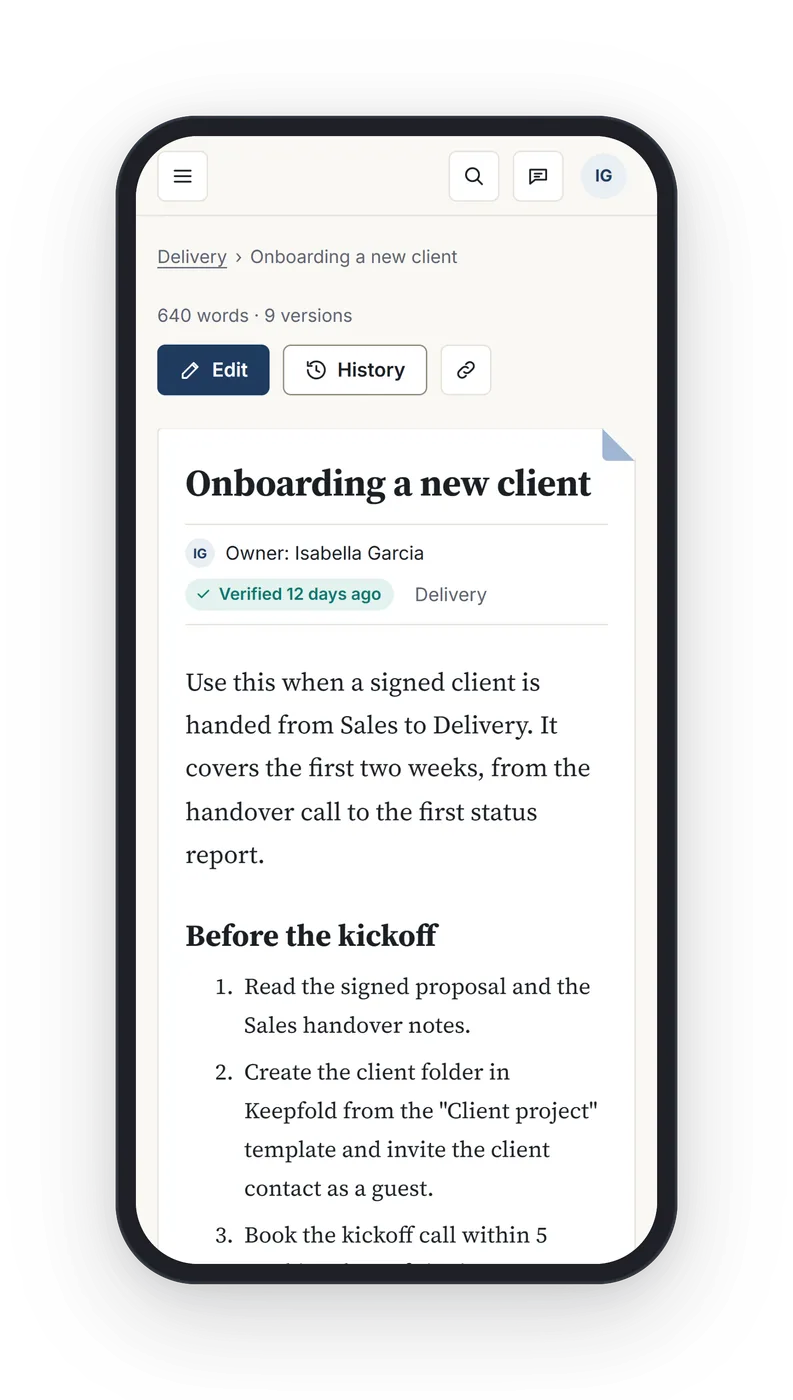
Reading a page, phone view
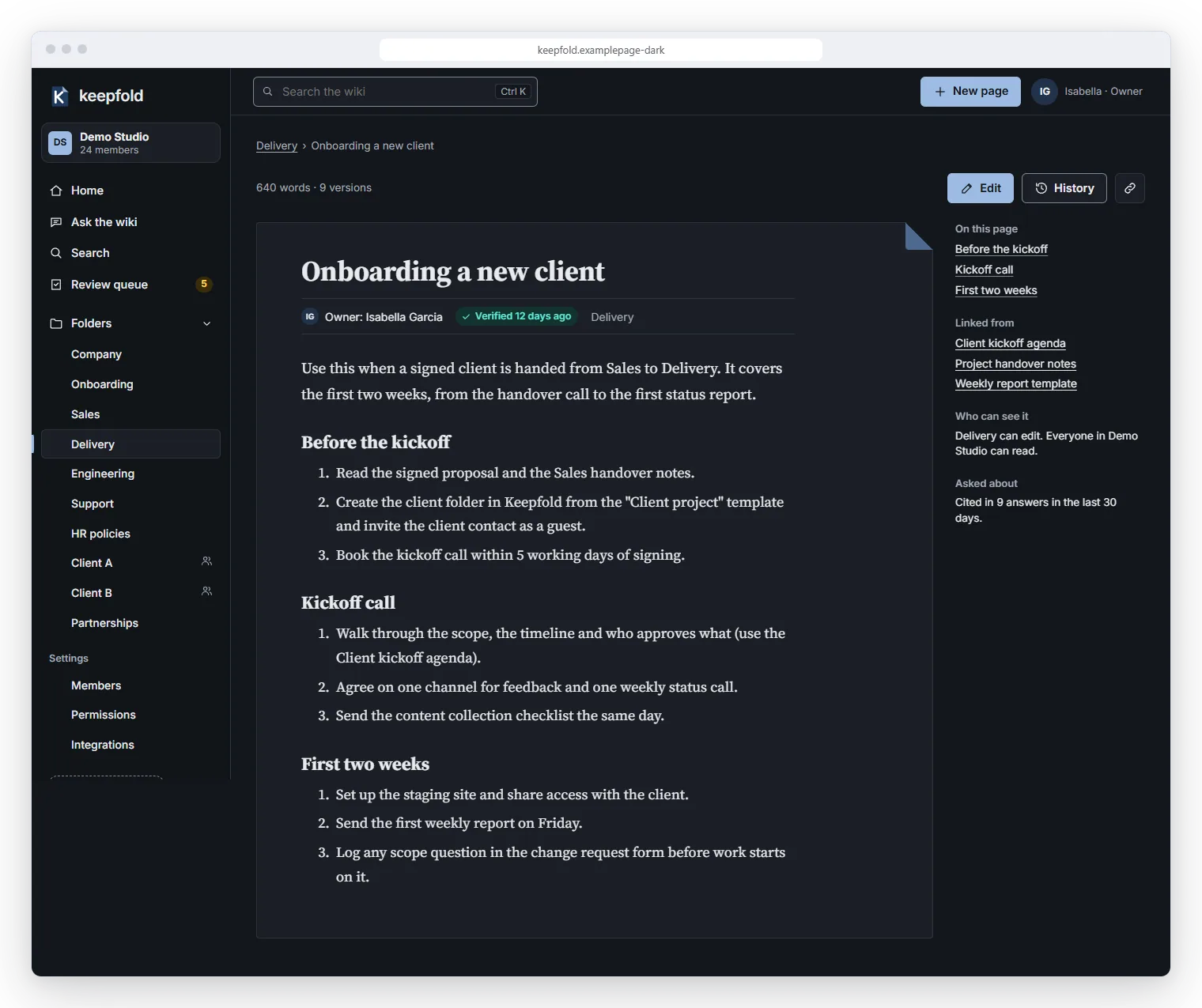
A page in dark mode, laptop view
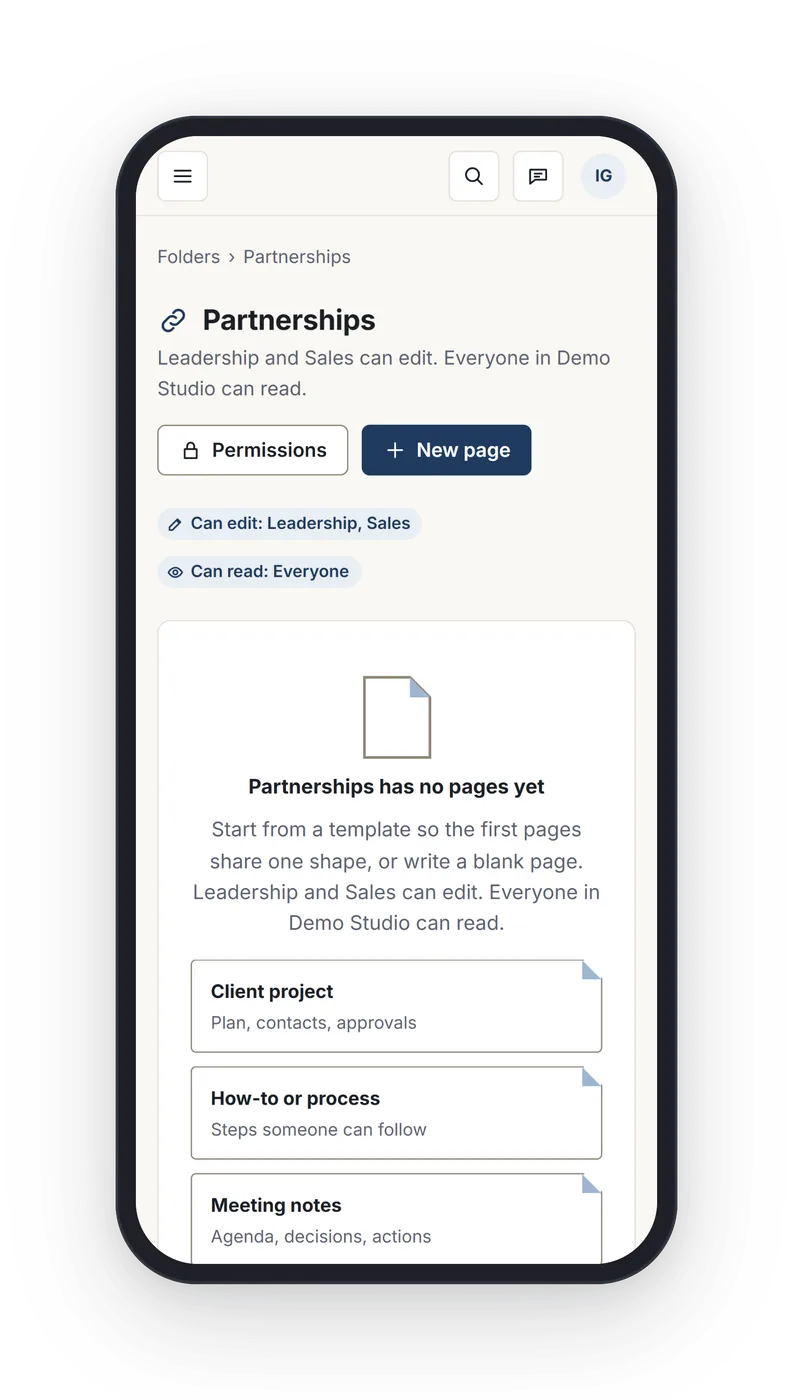
A new folder, ready for templates, phone view
Design system
Paper and ink
A deep ink blue for actions, warm off-white paper, teal for “verified” and amber for “needs review”, with red kept for errors. Inter runs the interface, and Source Serif 4 sets the pages themselves, so the wiki's content reads like a document and stands apart from the tool around it. Every page is a sheet with a folded corner, taken from the logo, and every status carries an icon and a word, never colour alone. A dark mode is included.
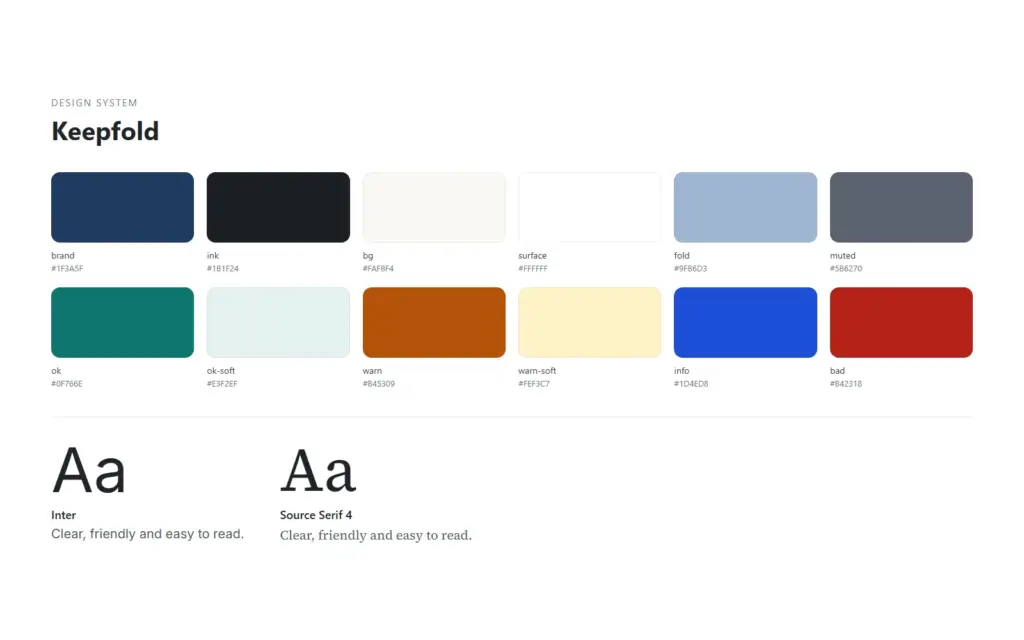
The palette and fonts
How we’d build it (proposed)
One permission check behind every read
Next.js front end
A block editor that saves Markdown, fast search and the review screens, with one API client so a Slack bot or mobile app can be added later.
Django Ninja API
Every read goes through one permission service, for pages, search, AI answers and MCP tools alike. A new client can't get around the access rules.
PostgreSQL with pgvector
Full-text search and meaning search in one database, with the permission filter inside the query, so restricted content never reaches the AI.
Background indexing
A Celery worker with Redis indexes and embeds each page when it's saved, so search and answers stay current.
Claude API
Cited answers and proposed edits, grounded only in the pages the person or token can access.
MCP server
A small separate service with search_pages, read_page, list_folder and propose_edit, signed in with folder-scoped tokens. Docker on a VPS behind Cloudflare.
Built-in quality
Checked before anyone sees it
Accessibility checked with axe-core on the prototype at 1440 and 390px on November 7, 2026, with no violations across 29 screens and states. Our target is WCAG 2.2 AA, and every colour pair was contrast-checked, in light and dark mode.
Responsive layout checked at 1440, 768 and 390px wide on November 7, 2026, with no sideways scrolling. On a phone, pages open read-first, with Edit one tap away.
Four roles, with access set per folder. Guests see one client folder only, and AI tools see only the folders their token allows.
Outcome
A clickable concept, ready to adapt
Keepfold is a concept, a clickable prototype with dummy data that shows how a small team could keep its know-how in one place and let AI tools help safely. We can adapt it to your folders, roles and tools, and build it as a working internal knowledge base with you.
Request a demo
See it on a call
We’ll walk you through the clickable prototype on a call and answer your questions.