Tipan
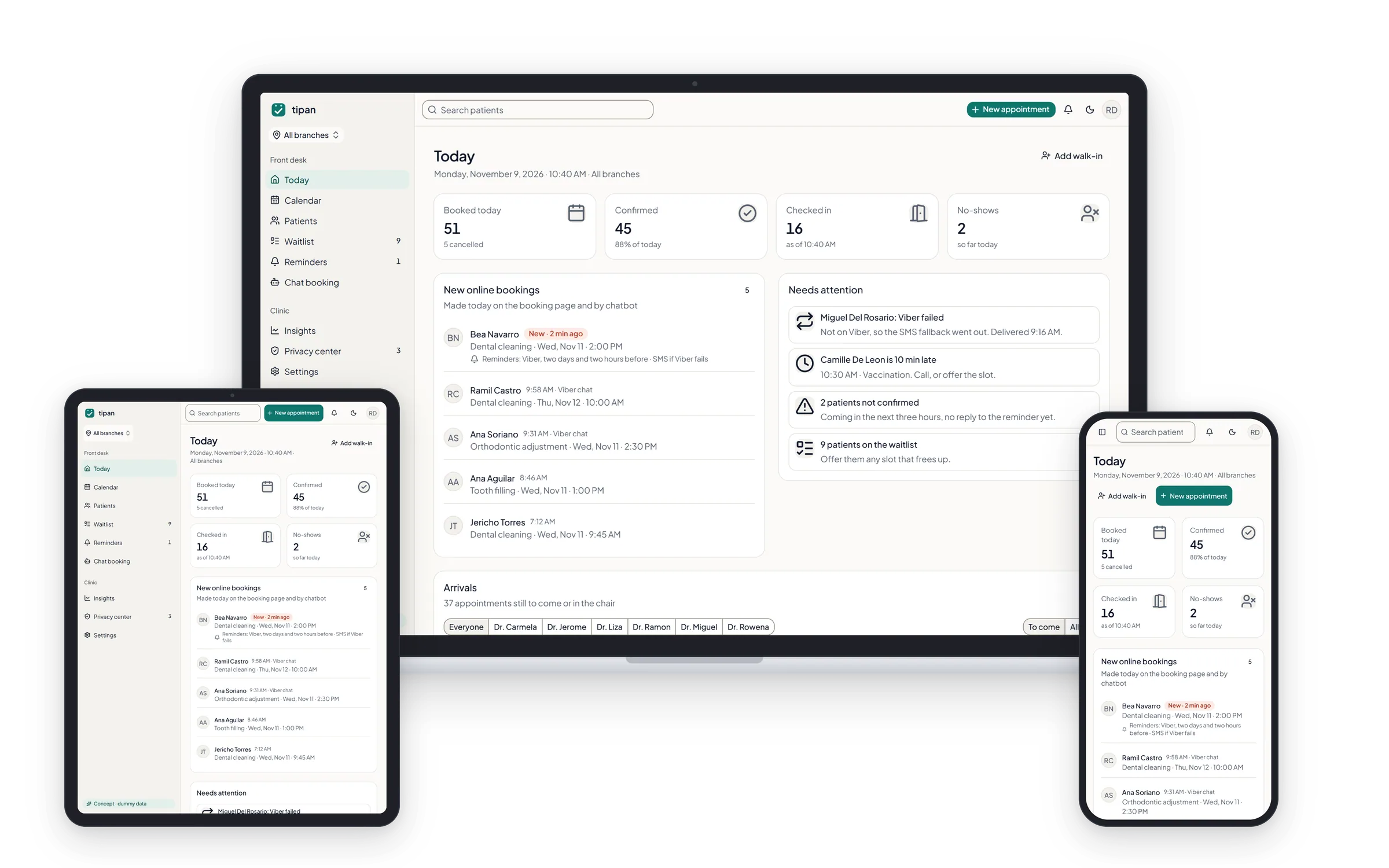
Tipan is a Virtuafied Solutions concept for a dental clinic appointment system, with online and chat booking, and reminders on each patient's own app.
At a glance
Type
Clinic booking and reminder web app, with a staff app, a patient booking page and a booking chatbot
For
Owners, front desk, practitioners and patients at private medical and dental clinics in the Philippines
Screens
12 (9 for the clinic, 3 for patients)
Roles
4, with access per branch
Devices
Laptop, tablet and phone
Proposed stack
Next.js, Django Ninja, PostgreSQL
The problem
Reminders typed by hand, and patient details in personal chats
Many small clinics in the Philippines take bookings through Messenger, phone calls and walk-ins, and handle them by hand. The receptionist keeps the schedule and types reminders one by one from a personal phone. On a busy day, reminders get skipped, and when a patient doesn't come, the empty slot goes to no one.
Patient names, numbers and visit reasons also end up in personal chat apps and notebooks. That matters, because health information is sensitive personal information under the Data Privacy Act, and the National Privacy Commission's rules on consent (NPC Circular 2023-04) and minimum security (NPC Circular 2023-06) apply to how a clinic collects and keeps it. Tipan is our concept for fixing that, shown as a clickable prototype with dummy data.
Goals
Fewer missed appointments, without typing reminders
Booking that works the way patients already message
Patient data handled the way the NPC expects
The concept
Booked where patients are, reminded where they look
01
Book online or by chat
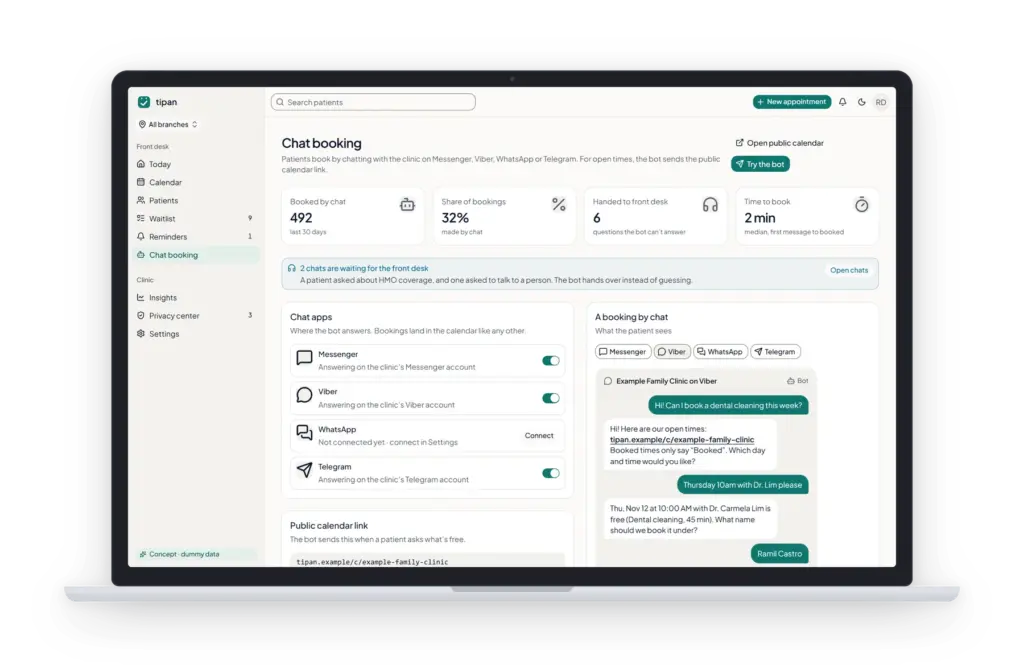
Patients book on the clinic's own page, or chat with its bot on Messenger, Viber, WhatsApp or Telegram. The bot sends a public calendar where taken times say only “Booked”.
02
Choose where to be reminded
Patients pick the app they check most, plus a fallback. Reminders are their choice, so the consent boxes start unticked.
03
Reminders that find them
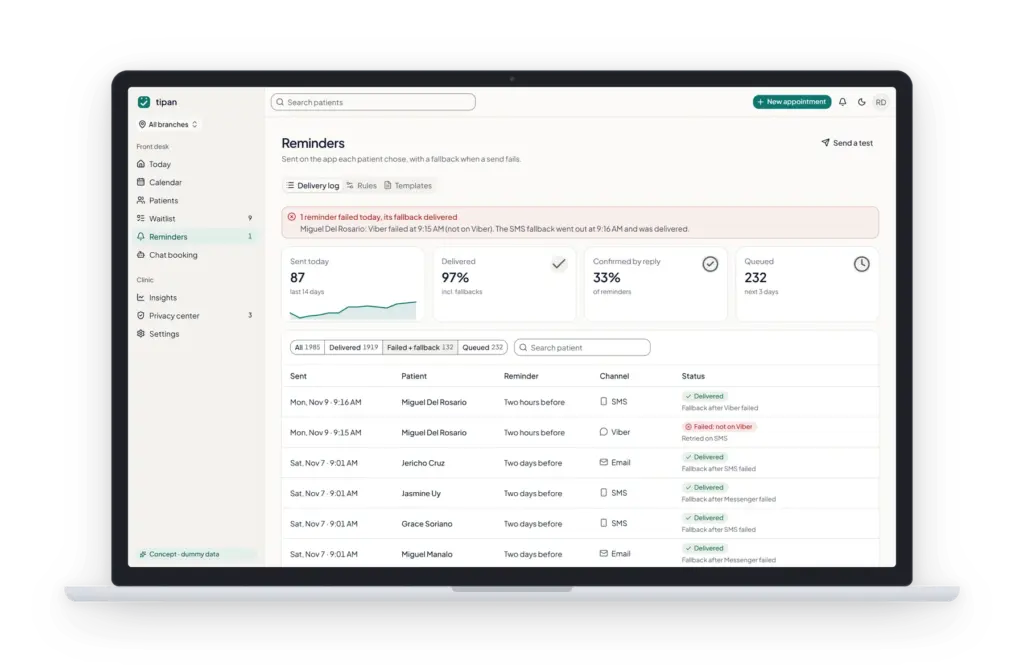
Reminders go out two days and two hours before. If one can't be delivered, the fallback goes out a minute later.
04
Move it without calling
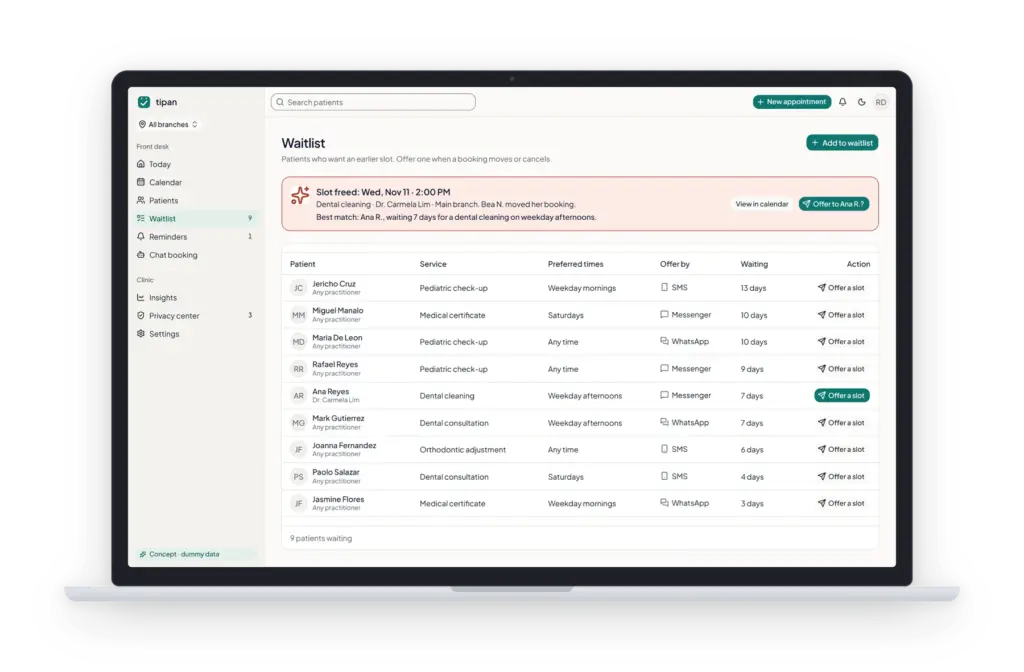
A booking link lets patients confirm, reschedule or cancel. A freed slot is offered to the best match on the waitlist.
05
Privacy, built in
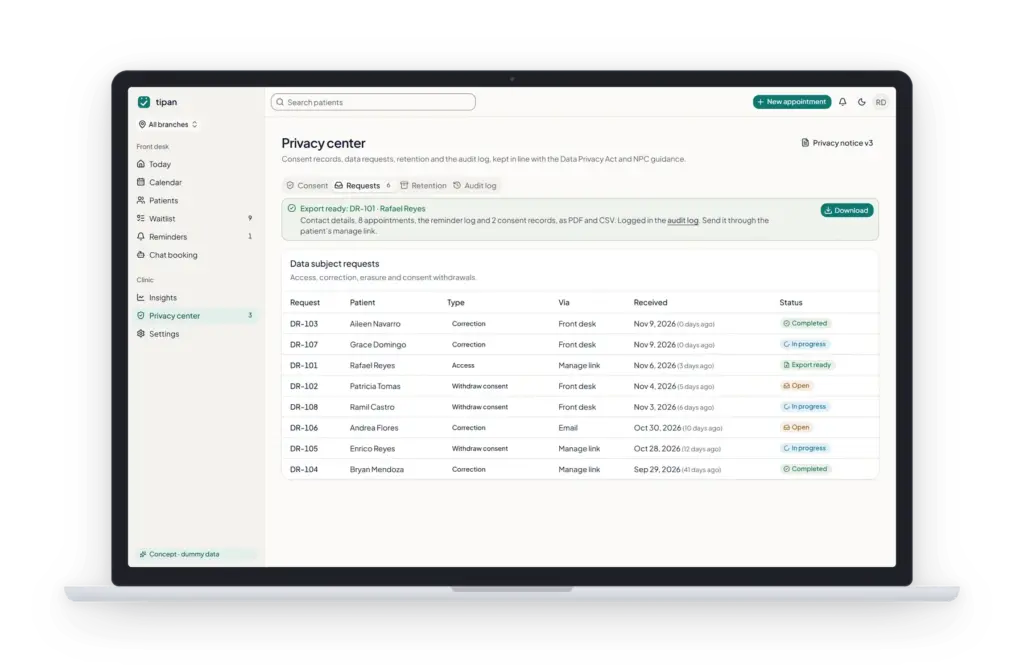
Consent is stored with its notice version. The owner answers data requests and keeps an audit log in one privacy center.
Key features
From the first message to the empty chair
Booking built for phones
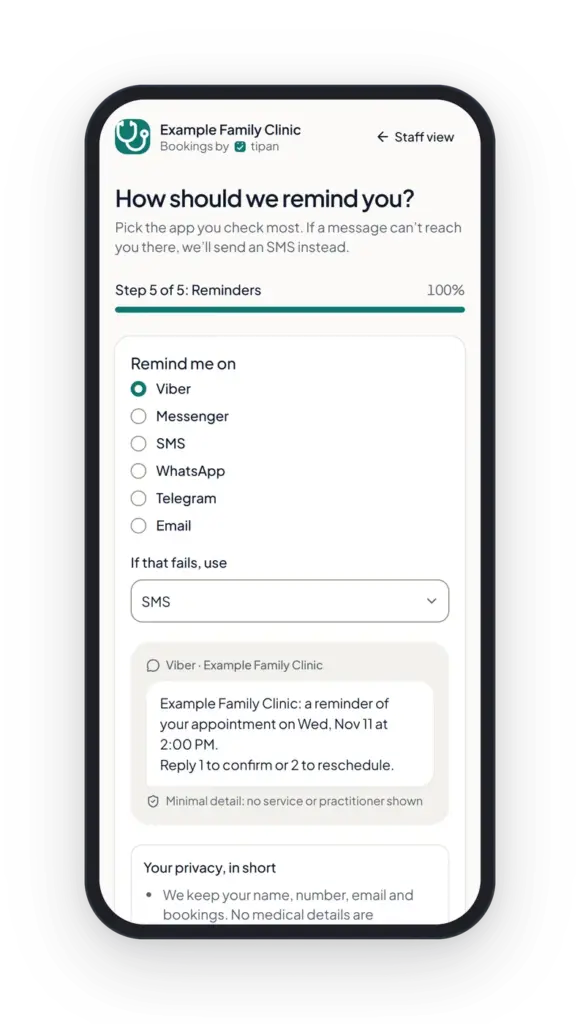
Five short steps cover the service, practitioner, time, details and reminders. Patients choose their app and a fallback, see what a reminder will look like, and read the privacy notice in plain words. No account needed.
Chat booking with a public calendar
A bot books patients on Messenger, Viber, WhatsApp or Telegram. For open times it sends the clinic's public calendar, where taken slots show only “Booked”. It asks before sending reminders in the chat and hands over to the front desk when it can't help.
Reminders with a fallback
Each reminder goes out on the patient's chosen app. When one fails, the delivery log shows why, and the SMS or email fallback that went out a minute later.
The front desk's day
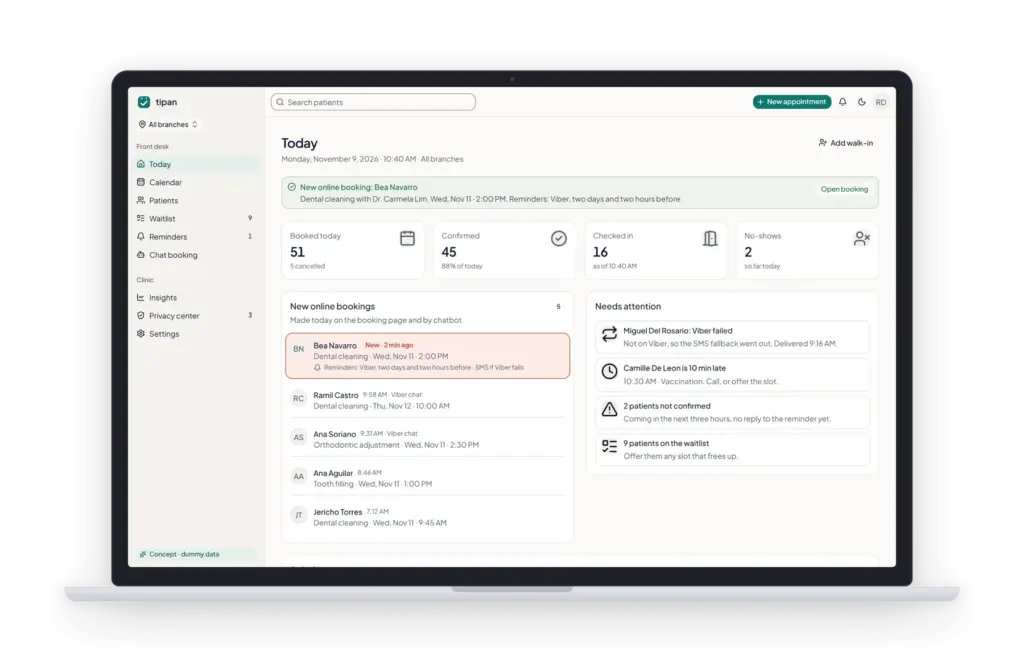
Today shows who's booked, confirmed and checked in, who's late, and every new online and chat booking as it arrives.
A waitlist that fills freed slots
When a patient moves a booking, Tipan finds the best match on the waitlist. The front desk sends the offer, and the slot is held for 30 minutes.
A privacy center for the owner
Consent records with their notice version, a data request inbox with exports, retention settings and an append-only audit log. Reminders leave out the service and doctor by default.
Screens
One clinic, three kinds of user
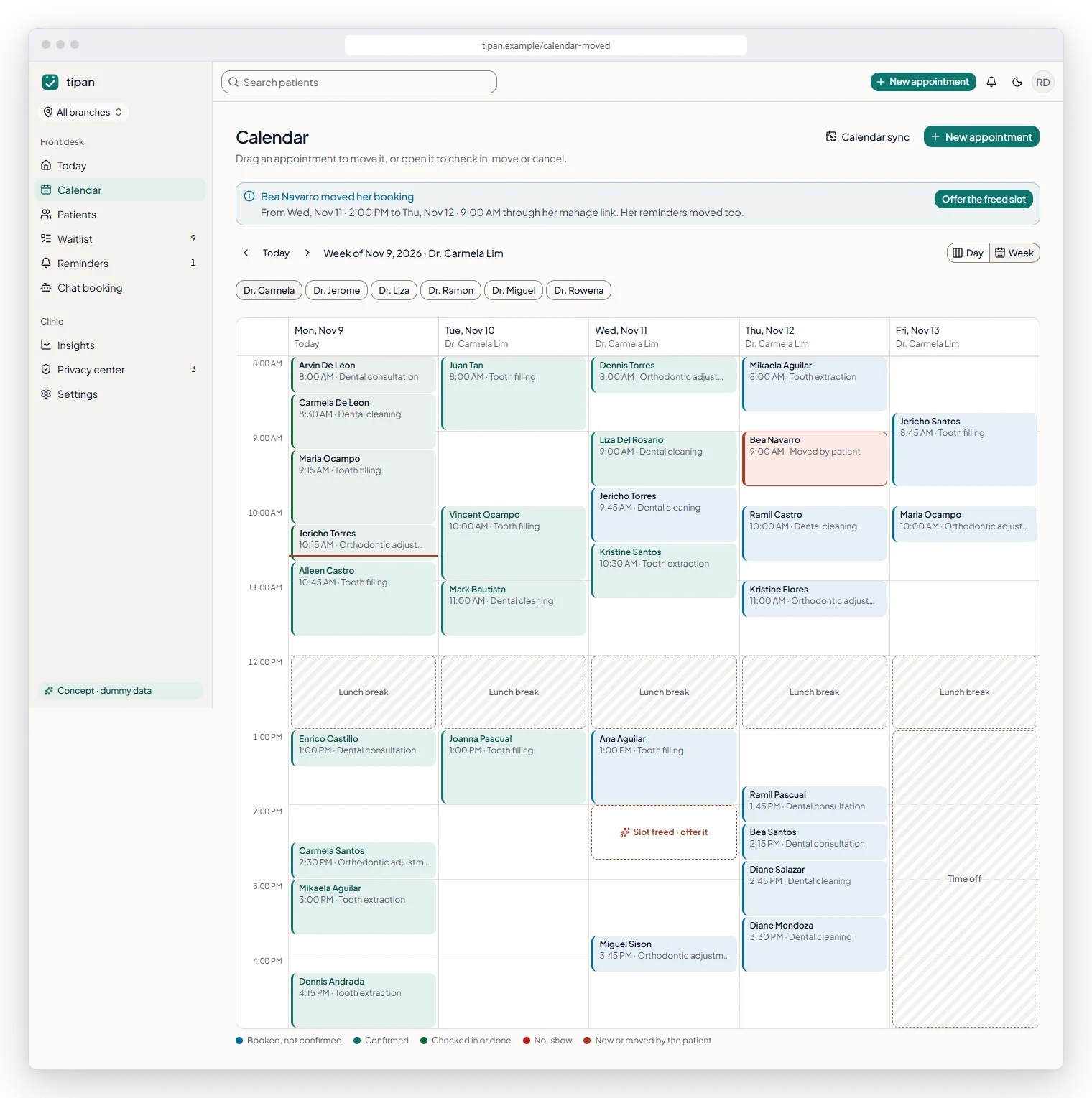
A booking moved by the patient, laptop view
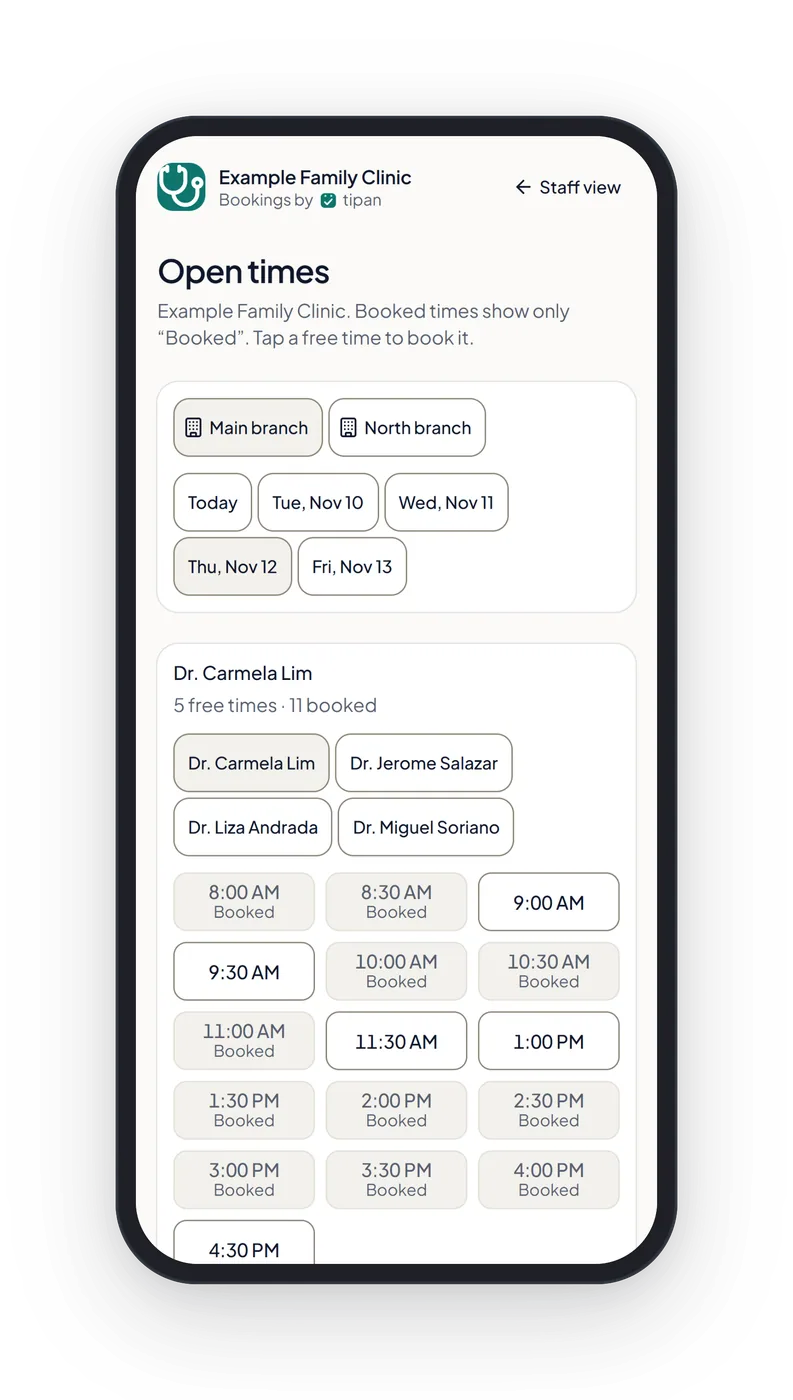
The public calendar the bot sends, phone view
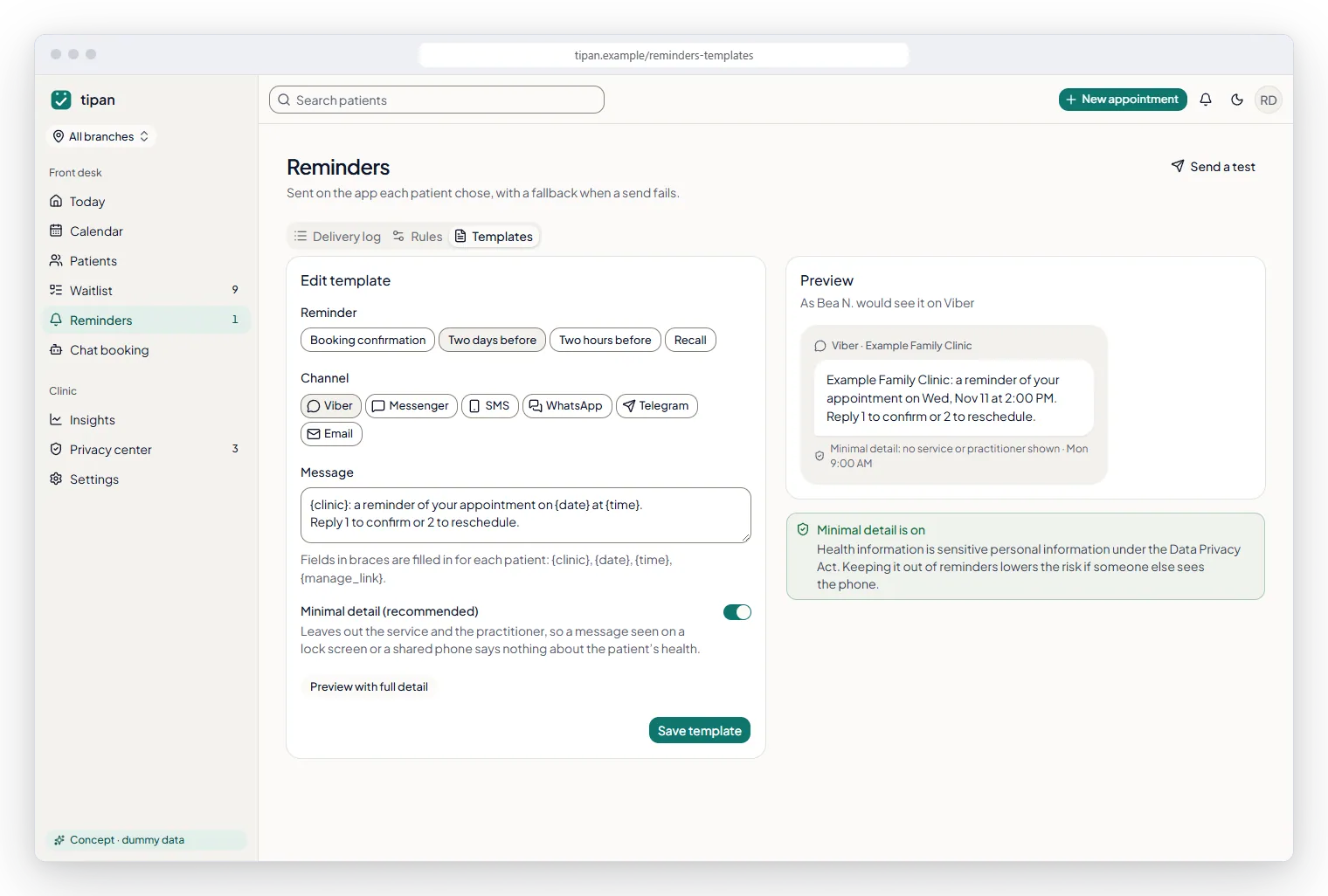
Reminder templates with minimal detail, laptop view
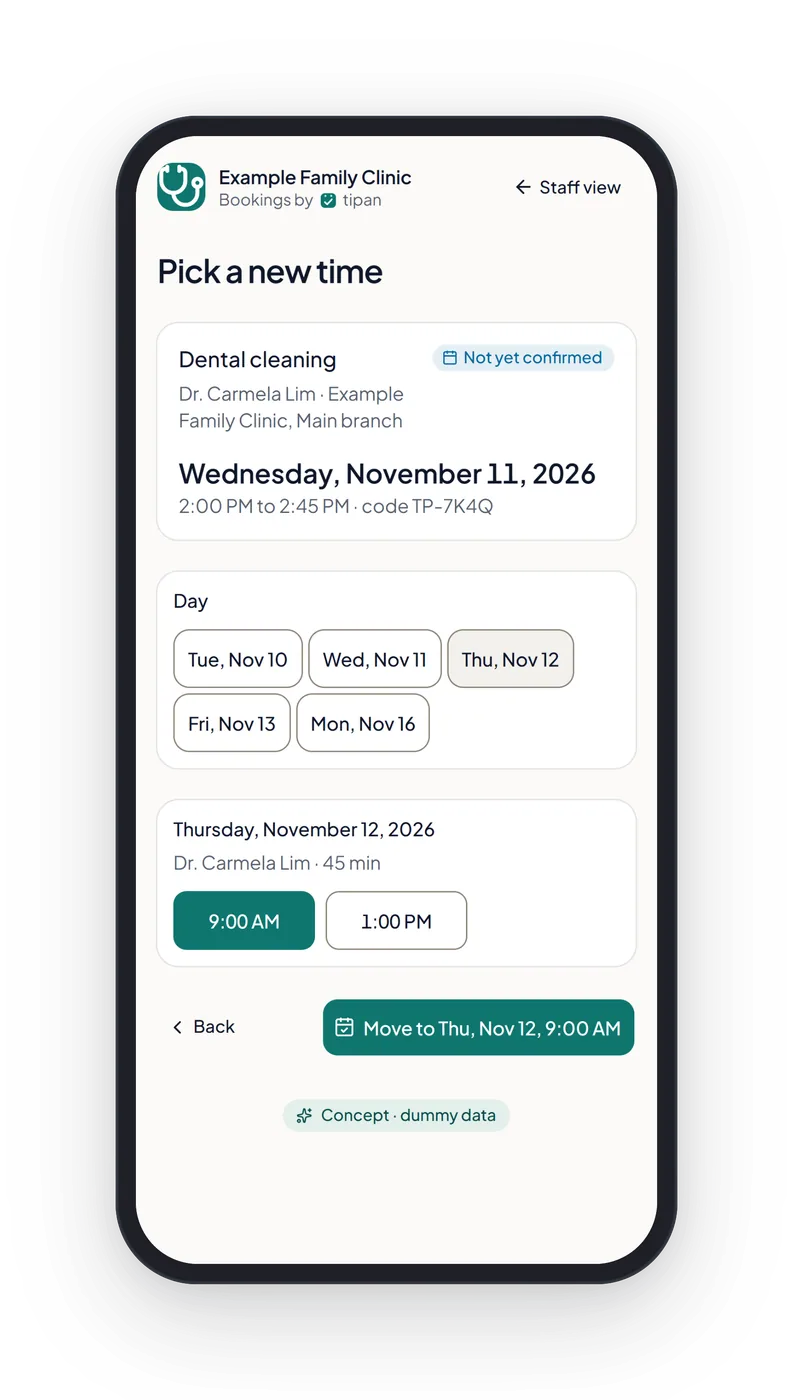
Rescheduling from the booking link, phone view
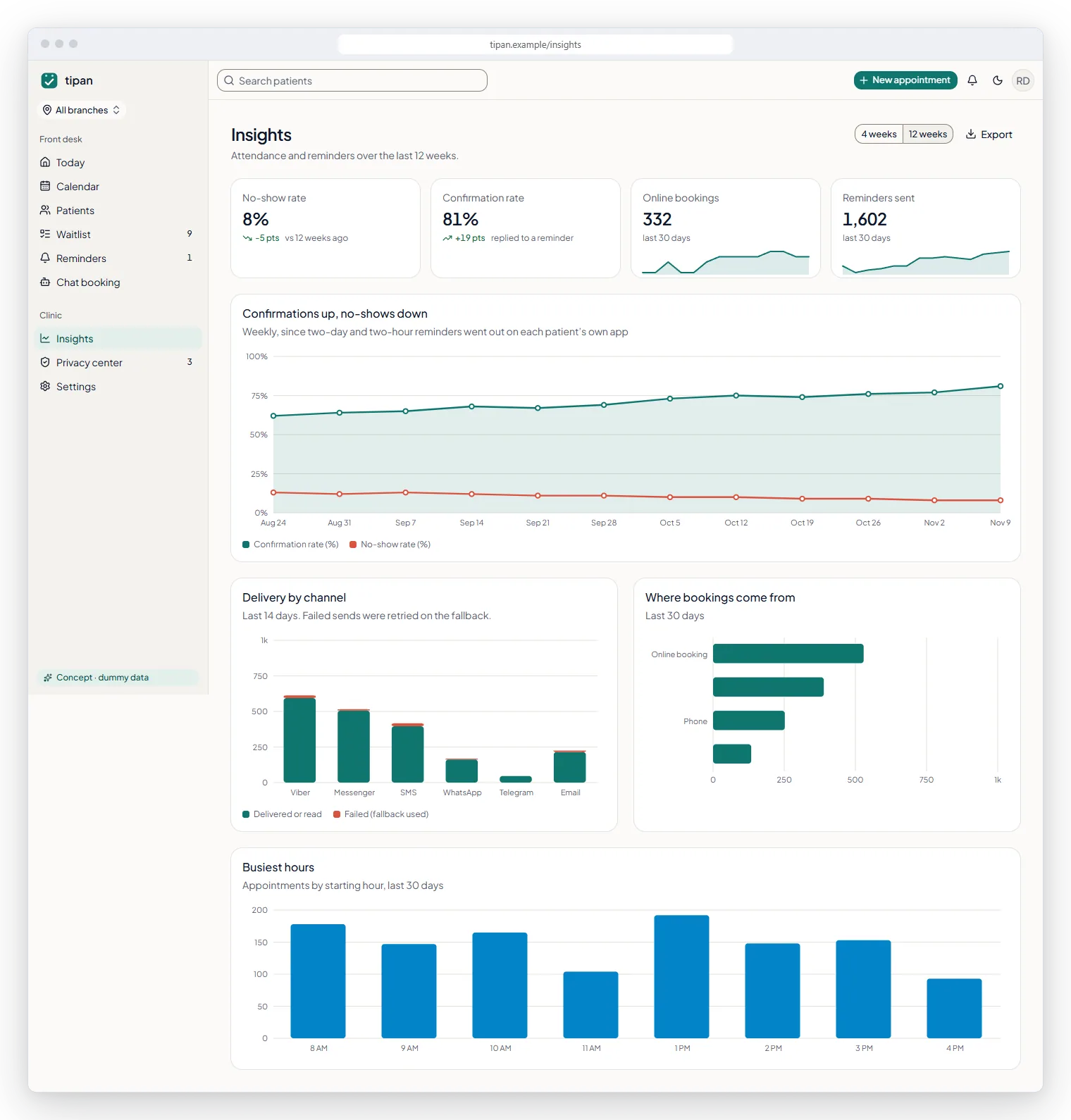
Attendance and reminders, tablet view
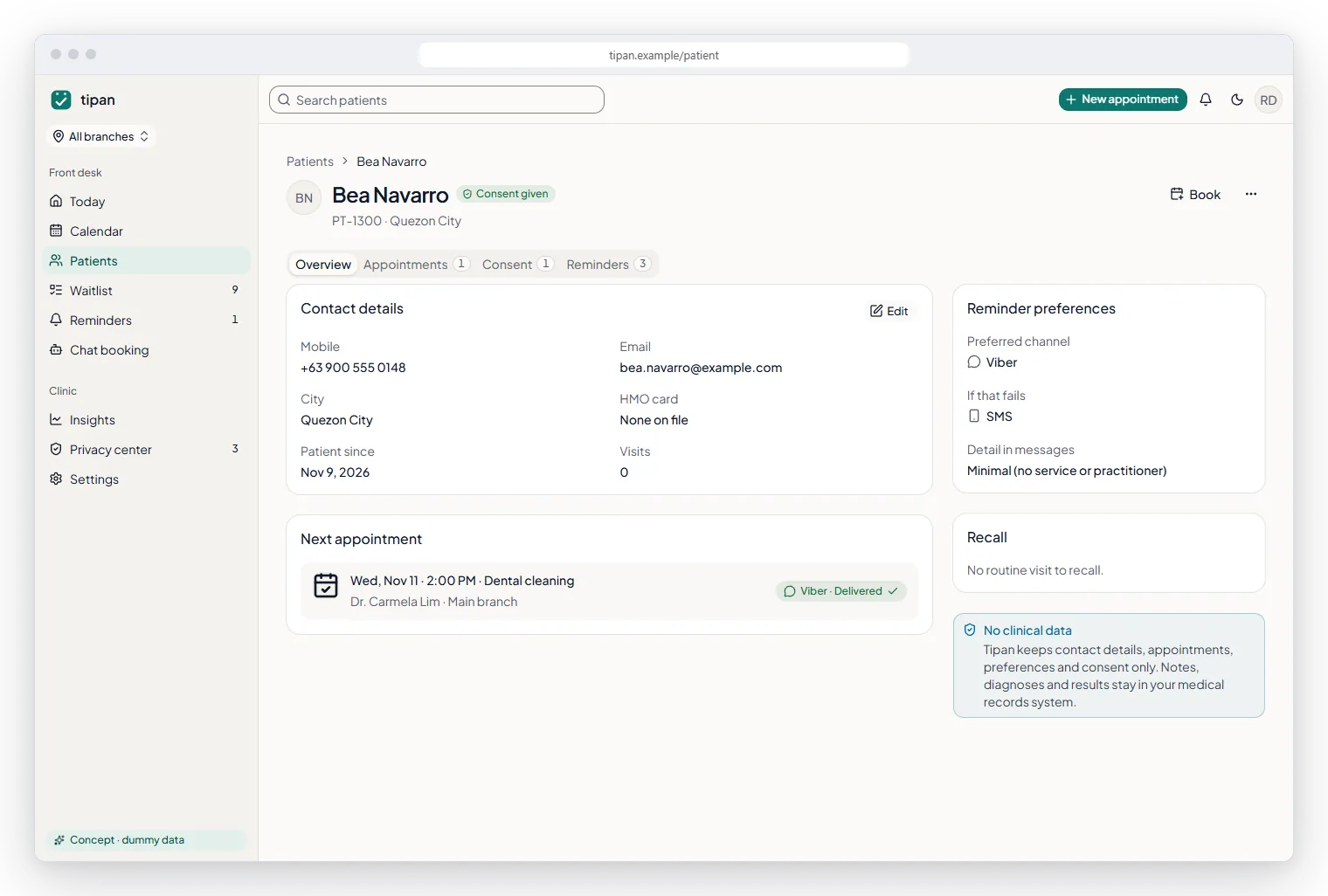
A patient's contact details and preferences, laptop view
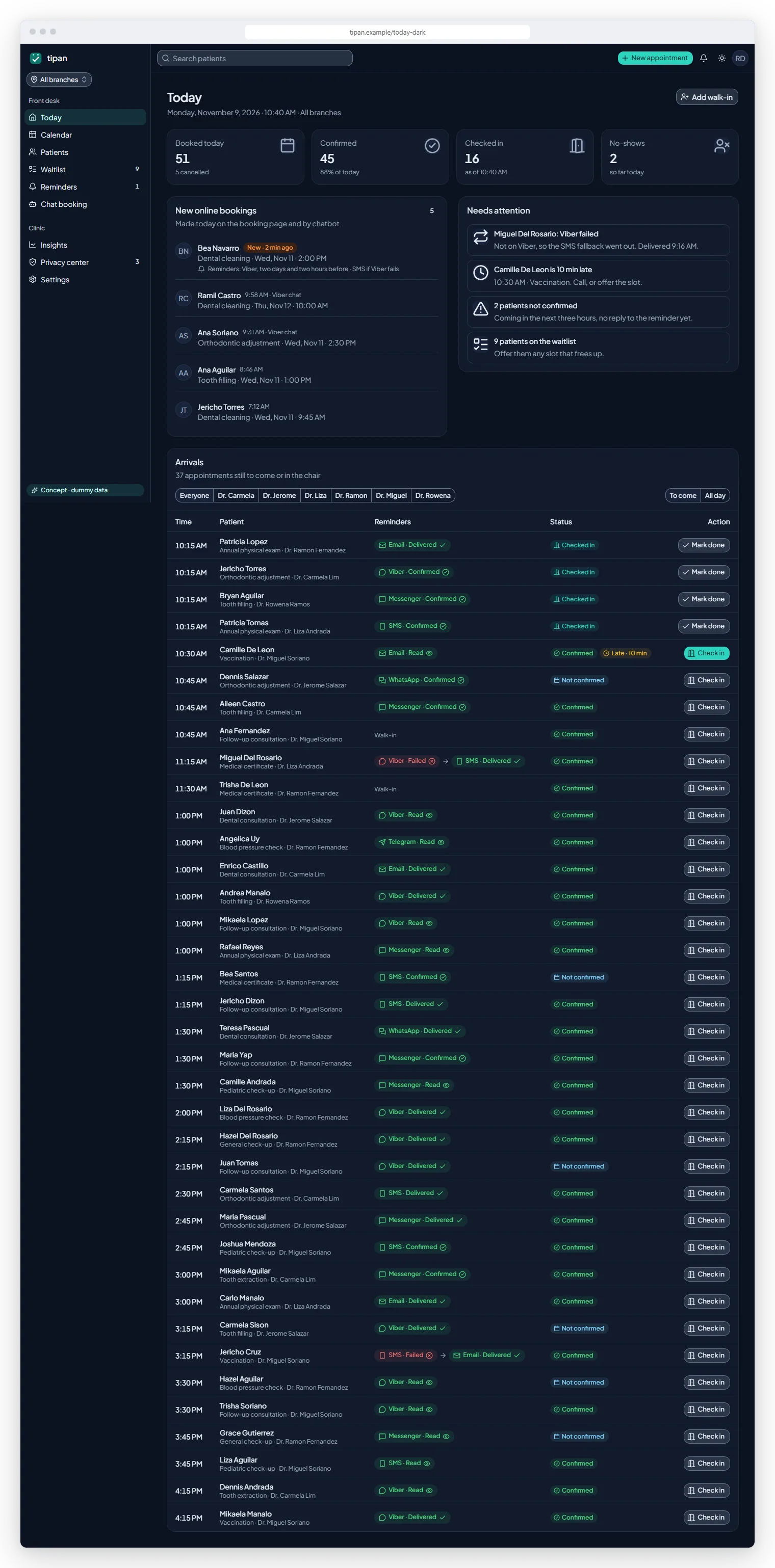
The Today screen in dark mode, laptop view
Design system
Calm, warm and easy to scan
Teal for actions, a warm off-white background, and coral kept for what's new or freed, like a fresh booking, a moved one or an open slot. Plus Jakarta Sans runs everything, with even-width numbers for times. Every status carries a word and an icon, never colour alone, and each reminder shows its path as a row of chips with the app, what happened, and the fallback if it failed. The dark mode was designed in its own colours, not inverted.
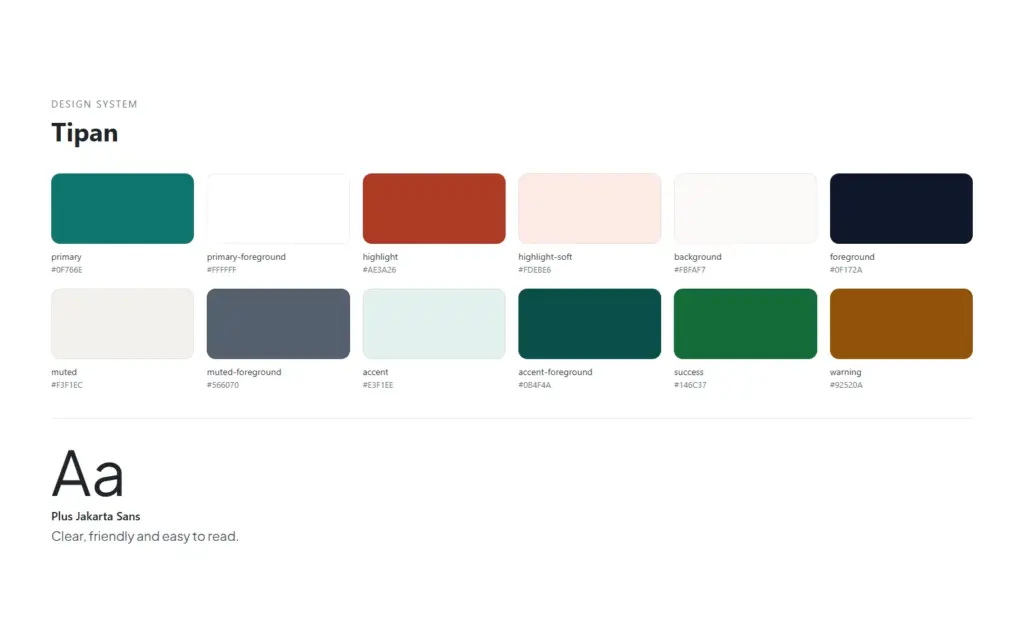
The palette and font
How we’d build it (proposed)
One API for the desk, the booking page and the bot
Next.js front end
The staff app, the booking page, the booking link and the public calendar, built with shadcn/ui from the same components as this prototype.
Django Ninja API
One API for staff, patients and the chatbot, with checks that keep each branch and role to its own data.
PostgreSQL
Sensitive fields encrypted at rest, and an append-only audit log of every view, change, export and send.
Background queue
Schedules reminders, retries on the fallback app, holds waitlist offers and runs the retention clean-up.
Messaging and the chatbot
Each chat app through its business platform, with delivery updates and replies coming back to the API. The bot books through the same rules as the front desk.
Sign-in and booking links
Staff sign in with two-factor authentication. Patients use signed booking links that expire, with no account. Docker in a nearby region.
Built-in quality
Checked before anyone sees it
Accessibility checked with axe-core on the prototype at 1440 and 390px on November 7, 2026, with no violations across 47 screens and states. Our target is WCAG 2.2 AA, and every colour pair was contrast-checked, in light and dark mode.
Responsive layout checked at 1440, 768 and 390px wide on November 7, 2026, with no sideways scrolling. The booking page, the booking link and the public calendar were designed for phones first.
Four roles, with access set per branch. Practitioners see only their own schedule, and the public calendar never shows who booked.
Outcome
A clickable concept, ready to adapt
Tipan is a concept, a clickable prototype with dummy data that shows how a small clinic could take bookings online and by chat, remind patients on the app they actually check, and handle their data the way the NPC expects. It keeps clinical records out on purpose, so it can sit beside the system a clinic already uses. We can adapt it to your services, branches and chat apps, and build it with you.
Request a demo
See it on a call
We’ll walk you through the clickable prototype on a call and answer your questions.