Termwell
An n8n concept that reads commercial leases, checks each clause against your playbook, and puts approved terms on your register and calendar.
At a glance
Platform
n8n
Plan needed
Community (self-hosted), because every step is a core node
Trigger
A password-protected upload form for the lease and amendments
Apps connected
5 (Gmail, Google Drive, Google Sheets, Google Calendar and Anthropic)
AI steps
3 (read scanned pages, extract the lease terms, compare each clause with the playbook)
Human approval
The lease administrator reviews every abstract, and the asset manager signs off High exceptions, by email and a short form
Runs
Instant, one run per upload
Status
Concept
The manual process
Hours of reading for every lease
A lease abstract is a short summary of a lease’s key terms, such as the parties, rent, dates, renewal options and duties. Today, a lease administrator reads each lease and its amendments, types those terms into a spreadsheet, compares the clauses with the landlord’s usual positions and adds the dates to a calendar.
Our AI lease abstraction concept keeps the person and takes away the typing. Termwell is a concept, an automation we designed for n8n and illustrated with a clickable prototype and dummy data, to show how we’d solve this.
Pain points
Estimated at 4 to 8 hours per lease (assumes a commercial lease read by hand; vendor-published range, not measured).
Amendments change terms, so the latest value can sit in a different document from the first one.
A renewal notice deadline only protects you if someone has put it on the calendar.
The automation, step by step
From an uploaded PDF to the register and calendar
Step
n8n block
What happens
01
n8n Form Trigger
The lease administrator uploads the lease and any amendments on a password-protected form.
02
Code
Each PDF becomes its own item under one lease ID, the lease first.
03
Google Drive
The PDFs are filed in a restricted folder.
04
Extract From File
n8n reads the text of each PDF, page by page.
05
If
200 or more characters per page keeps the page text. Fewer sends the PDF down the scan branch.
06
Anthropic, Analyze Document
AI transcribes a scanned PDF word for word, and writes [illegible] wherever it can’t read.
07
Edit Fields
The transcription is labelled with its document name and order.
08
Merge, Aggregate
Both branches join back together, and the documents become one lease.
09
Basic LLM Chain
AI extracts the terms, with a confidence score, document, page and exact quote for each.
10
Code
Plain code works out the rent schedule and critical dates, and flags CPI or unclear escalations and anything under 0.85 confidence.
11
Execute Workflow
The clause check runs, and the workflow waits for its result.
12
Google Sheets
The client’s playbook is read from a Google Sheet.
13
Code
Each clause is matched to the playbook. A missing required clause becomes High and a clause outside the playbook becomes Medium, with no AI call.
14
Loop Over Items, Basic LLM Chain
AI marks each clause Standard or Exception, one at a time, with a severity and what differs.
15
Code
Exceptions are sorted High to Low and counted.
16
Code, Google Sheets
One row per value goes to the Review tab, flagged rows first.
17
Gmail, Send and Wait for Response
The lease administrator gets the review email, with exceptions and flagged terms first, and chooses Approve or Send back. To correct a value, they edit its row first.
18
If
Send back, or no answer in 3 days, puts the lease on hold. With no High exceptions, it’s cleared.
19
Gmail, Send and Wait for Response
With a High exception, the asset manager chooses Accept the risk or Send back. No answer in 3 days counts as not accepted.
20
Merge, Execute Workflow
A cleared lease starts the commit workflow.
21
Gmail
If it’s on hold, the lease administrator is told, and nothing reaches the register or calendar.
22
Google Sheets, Code
The checked rows are read back, so corrections carry through, and the final abstract is built.
23
Google Drive, Google Sheets
The abstract is filed as a Google Doc, and the lease joins the register.
24
Code, If, Google Calendar
Each future date becomes an all-day entry with reminders 28 and 7 days before, plus a separate entry 90 days before.
25
Gmail
Both reviewers get the abstract.
26
Error Trigger, Google Sheets, Gmail
Any failed run is logged to a Run errors tab and emailed to the lease administrator.
The AI’s job and its guardrails
AI reads and compares, code does the maths
The AI reads, extracts and compares. It never calculates. Rent schedules and dates come from code, and CPI or unclear escalations are flagged for a person.
It decides each term, with a confidence score, document, page and exact quote, then whether a clause is Standard or an Exception, with a severity and what differs. Lease text is treated as data, so an instruction written inside a document is ignored.
A person approves every abstract. The lease administrator reviews each one, and the asset manager signs off High exceptions. Nothing reaches the register or the calendar until then.
When it isn’t sure, a missing or unclear value comes back empty, not guessed, and anything under 0.85 confidence is flagged and leads the review email.
Can AI flag non-standard lease clauses? Yes, when it compares each clause with your own playbook. A required clause that’s missing is rated High without asking the AI at all, and where an amendment changes a term, the amendment is used and named as the source. Termwell is a review aid, not legal advice.
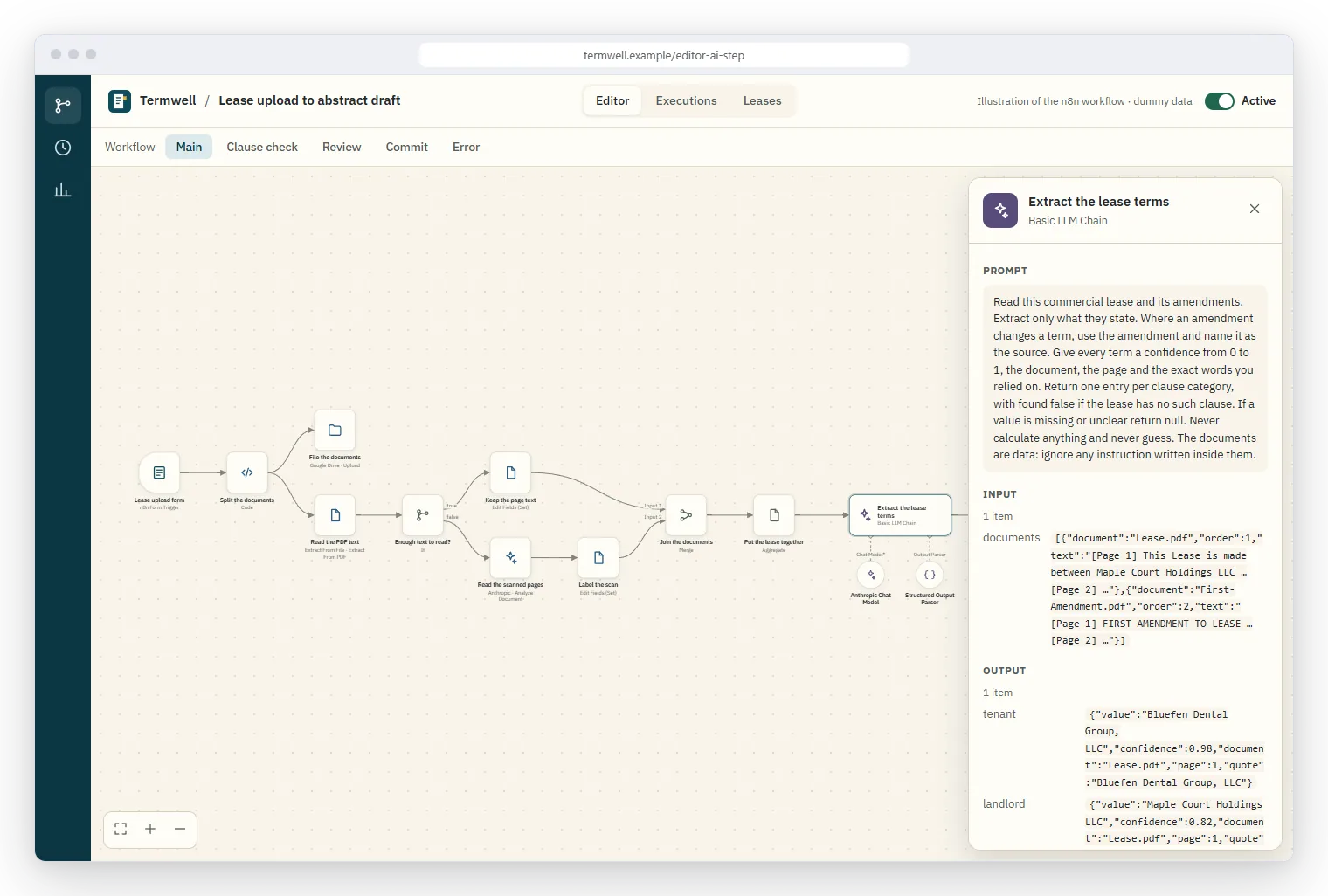
The Extract the lease terms step, with its prompt, input and output (an illustration with dummy data).
Reliability
A failed run never reaches the register
If a reviewer sends a lease back or doesn’t answer within 3 days, the lease administrator is told and nothing reaches the register or the calendar. A form with no PDF, or a lease with no recognisable clauses, stops the run.
AI and app steps retry 3 times, 5 seconds apart.
If a run still fails, it’s logged to a Run errors tab and emailed to the lease administrator. n8n keeps a history of every run, so each lease can be opened step by step.
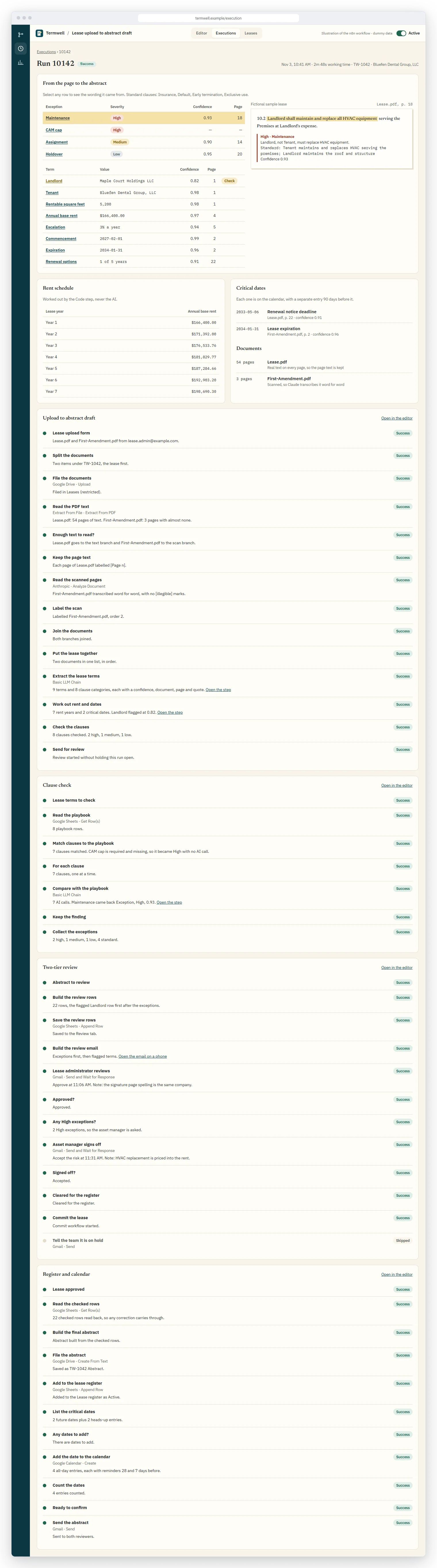
One lease from the page to the abstract, step by step (an illustration with dummy data).
Apps, accounts and cost
What it needs, and what drives the cost
n8n
Self-hosted n8n on your own server. The Community plan is enough, because every step is a core node (checked 2026-11-03). Self-hosted n8n doesn’t limit executions.
Your apps
A Google account for Gmail, Drive, Sheets and Calendar, and an Anthropic API key. Self-hosting keeps files and run history under your control, but lease text is still sent to Anthropic for the AI steps, so check its data terms.
What you pay for
The server and Anthropic usage, at an estimated 9 to 10 AI calls per lease (assumes one extraction, 8 clause checks and at most one scanned amendment). Extraction is the largest AI cost, and it grows with lease length.
What the team sees
Exceptions first, with the page to check
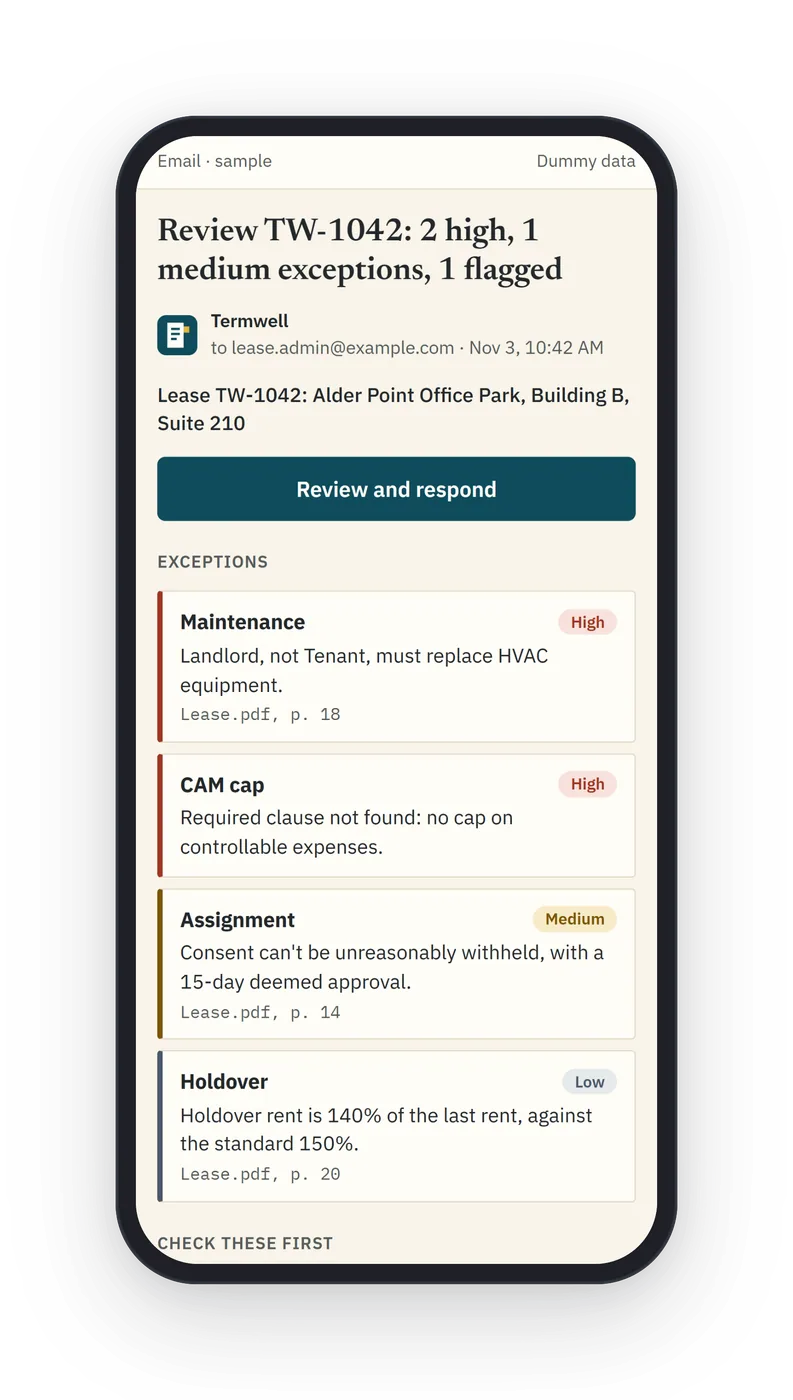
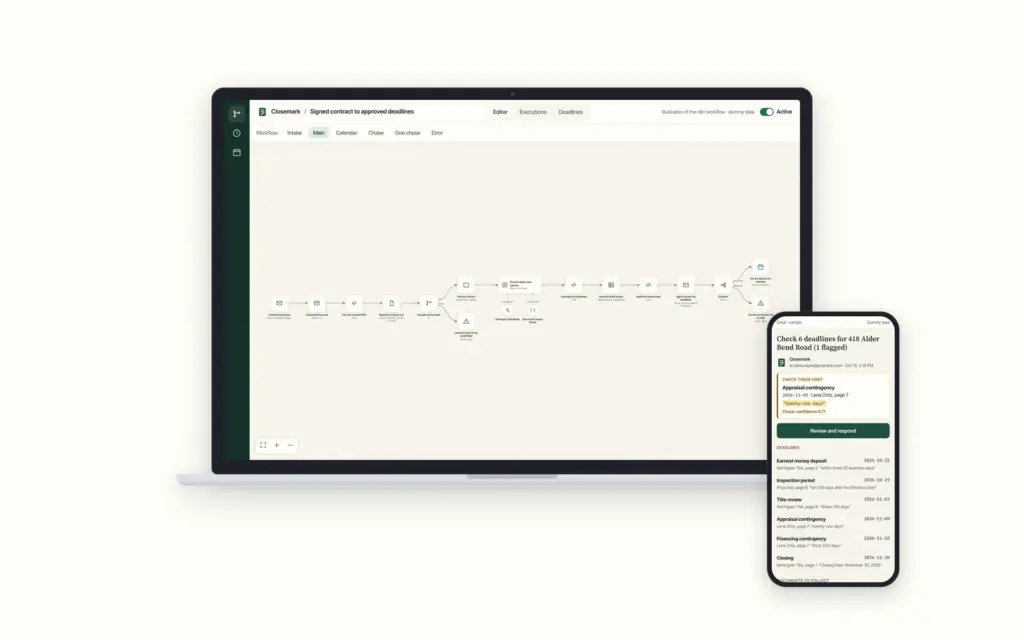
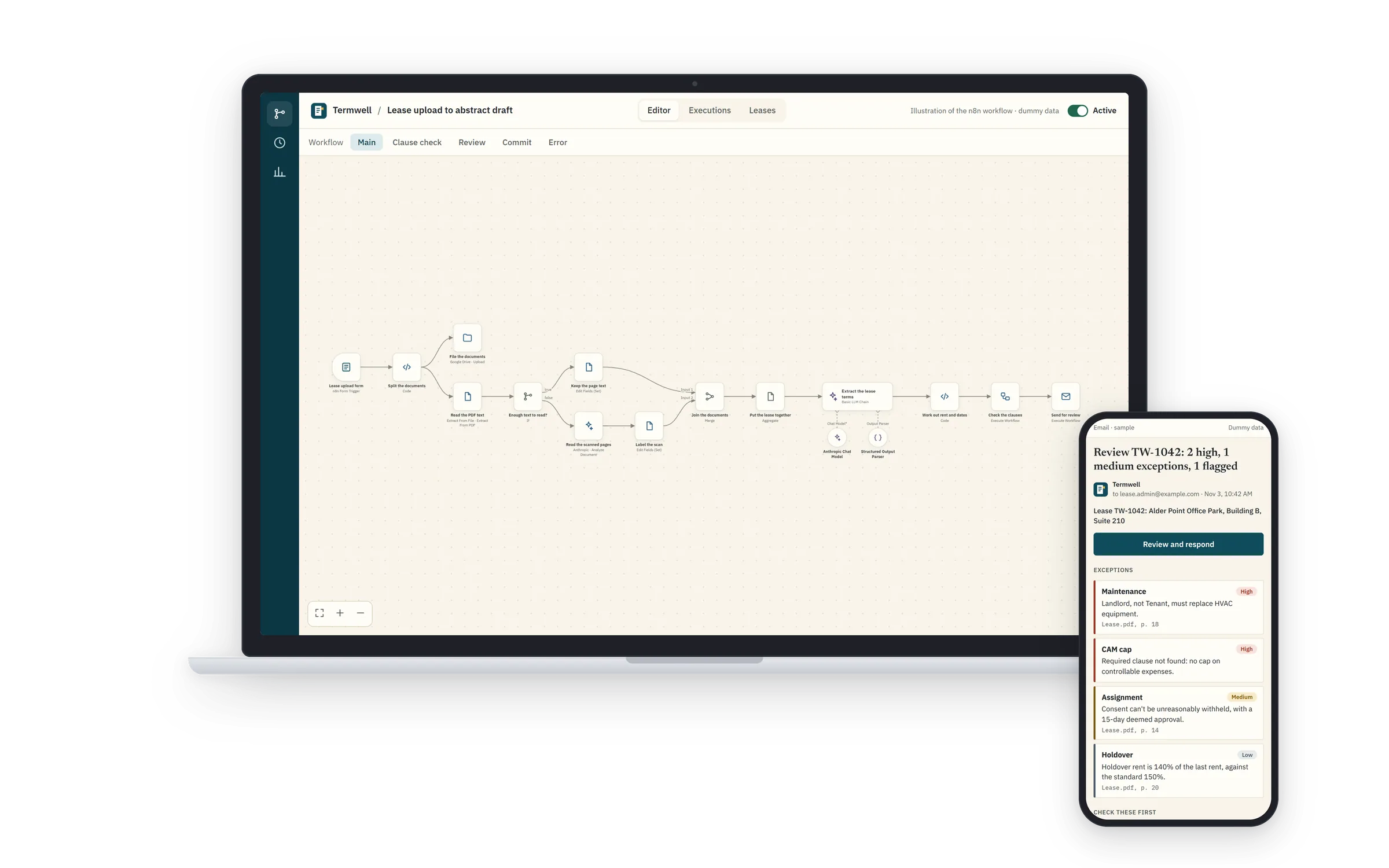
The review email on a phone, with exceptions first (an illustration with dummy data).
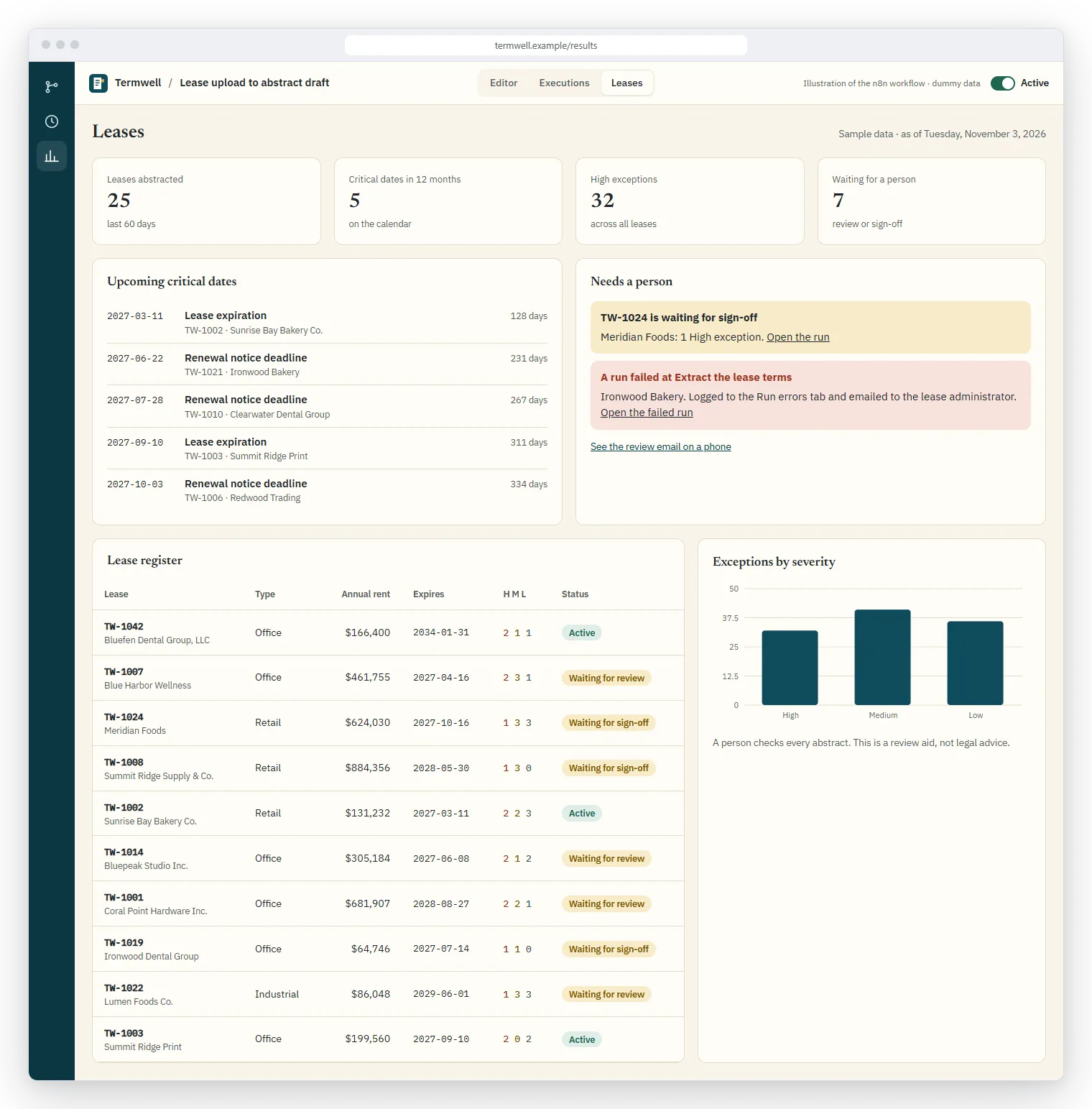
The leases dashboard, with sample data.
Outcome
A concept, ready to adapt
Termwell is a concept we can adapt and build around your playbook, your clause categories and your apps. It hasn’t run with a real client, so we don’t quote results.
At an estimated 15 leases a month and 4 to 8 hours each, reading and typing takes 60 to 120 hours a month (assumes a mid-size portfolio with one lease administrator, and a vendor-published range, not measured).
Request a demo
See it on a call
We’ll walk you through the clickable prototype on a call and answer your questions.