Doorhour
A Make concept where an AI agent books property viewings by text, sends reminders and places confirmation calls, with a person approving occupied homes.
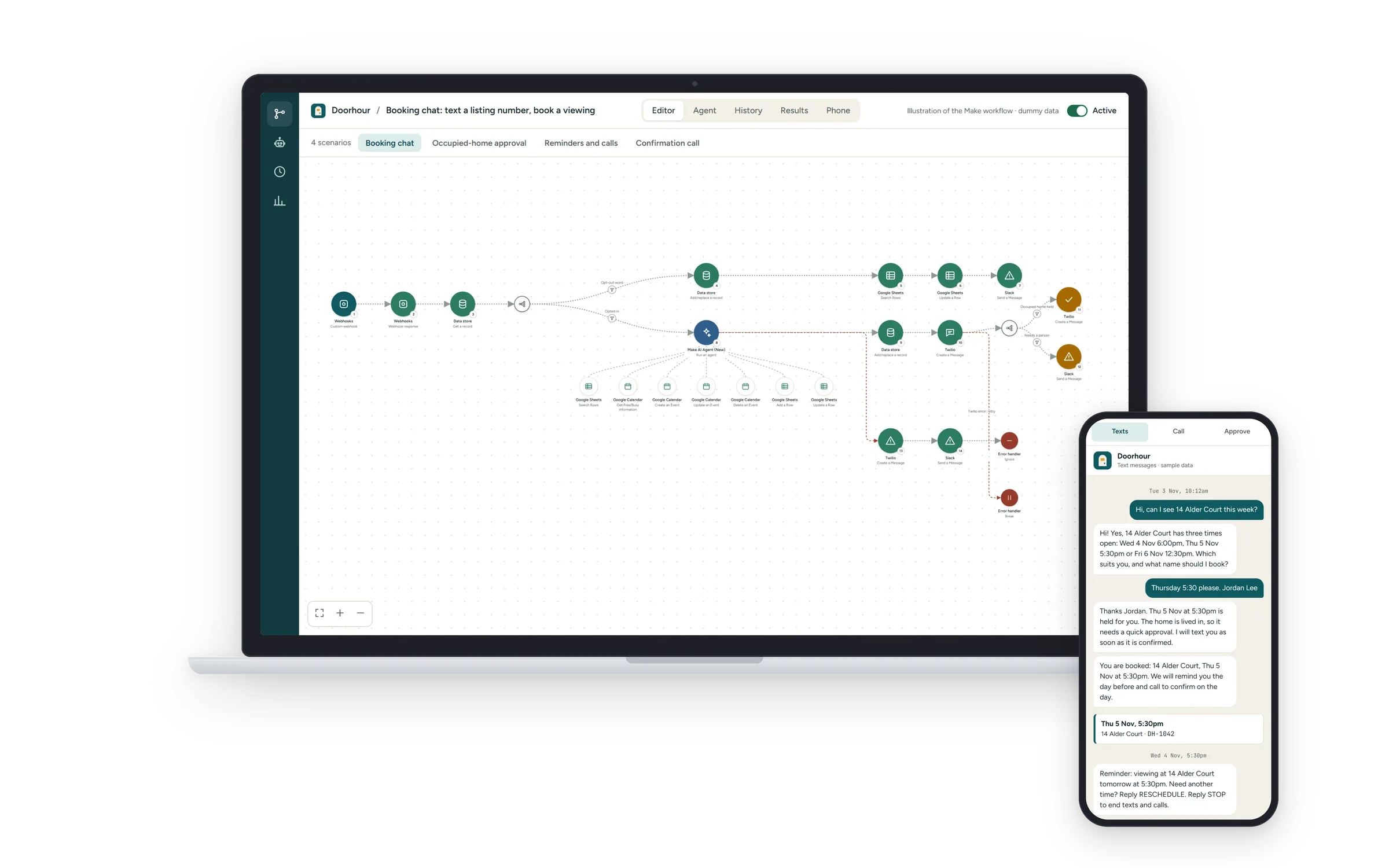
At a glance
Platform
Make
Plan needed
Core, because of the own AI provider connection and four active scenarios
Trigger
An inbound text, plus a schedule for reminders
Apps connected
4 (Twilio, Google Calendar, Google Sheets and Slack)
AI steps
1 (a booking agent that answers, offers slots, books, moves and hands over)
Human approval
Occupied homes, by the listing agent, through an SMS link
Runs
Instant for texts and calls, every 15 minutes for reminders
Status
Concept
The manual process
A small job with a lot of steps
Booking a viewing sounds small until you count the steps. Someone reads the request, checks the calendar, agrees a time, asks the occupant, sends a reminder, phones the day before, then chases the people who don’t arrive. Our property viewing scheduling automation takes on that back-and-forth for a small agency and keeps people in charge of what matters.
Doorhour is a concept, an automation we designed for Make and illustrated with a clickable prototype and dummy data, to show how we’d solve this.
Pain points
Requests arrive by text and phone, and each one needs a calendar check.
Occupied homes need the occupant’s say-so before a time can be agreed.
Estimated at 10 hours a month on viewing coordination (assumes 10 minutes per viewing and 60 viewings a month).
The automation, step by step
From a first text to a confirmed viewing
Step
Make module
What happens
01
Webhooks · Custom webhook
A text to the listing number reaches Make at once through Twilio.
02
Webhooks · Webhook response
Make answers Twilio straight away, so no stray auto-reply goes out.
03
Data store
Make loads the saved chat summary and the opt-out flag.
04
Router
An opt-out word takes the first route. Everything else goes to the agent.
05
Data store, Google Sheets, Slack
An opt-out is saved, that person’s reminders stop, and the team is told.
06
Make AI Agent (New)
The agent answers from the listing data, checks the calendar, offers up to three slots and gets the person’s name.
07
AI agent tools (Google Calendar, Google Sheets)
The agent books a vacant home, holds an occupied one as tentative, moves or cancels a viewing, and logs it.
08
Data store, Twilio
Make saves a new summary and texts the reply.
09
Router, Twilio, Slack
A held slot sends the listing agent an SMS with Approve and Decline links. A handover goes to the team on Slack.
10
Webhooks · Custom webhook
In a second scenario, the tapped link finds the tentative booking by its ID and token. No match ends the run.
11
Google Calendar, Google Sheets, Twilio
Approve confirms the event, marks the booking and tells the prospect.
12
Google Calendar, Google Sheets, Twilio
Decline releases the slot and asks the prospect to pick again.
13
Search module (Google Sheets), Router
In a third scenario, every 15 minutes, Make checks open bookings and works out what’s due.
14
Twilio, Google Sheets
Under 24 hours before the viewing, the reminder goes out once.
15
Twilio · Create a Call
Under 3 hours before, Make places a confirmation call, up to twice, 30 minutes apart.
16
Webhooks, Router
In a fourth scenario, the call plays its script and routes the keypress.
17
Google Sheets, Google Calendar, Twilio, Slack
Press 1 to confirm, 2 to get a text for a new time, or 3 to cancel and tell the team. Any other key repeats the choices.
18
Slack, Google Sheets
After two calls with no keypress, the team gets an alert and the booking is marked Unconfirmed.
19
Slack
An approval waiting 2 hours gets one nudge.
20
Data store, Google Sheets
After the viewing, the chat summary is deleted and the booking is marked Done.
The AI’s job and its guardrails
One job, turning a text chat into a booking
Can an AI agent book property viewings by text? Yes, when it can only state what its tools return and it has to check the calendar before it commits. Here the agent answers, offers times and books. It never talks about price, and it re-checks the calendar right before it holds a slot.
It decides which of its tools to use, which free times to offer, and whether the chat ended in a booking, a hold, a change, a cancellation or a handover.
The listing agent approves every viewing at an occupied home. Until then the slot is only tentative.
When it isn’t sure, it hands over to a person. Price, offers, legal and finance questions always go to a person too.
When should you send property viewing reminders? This design sends a text within 24 hours of the viewing, then calls within 3 hours. The prospect presses a key to confirm, reschedule or cancel. Replying STOP ends texts and calls, and that person stays blocked.
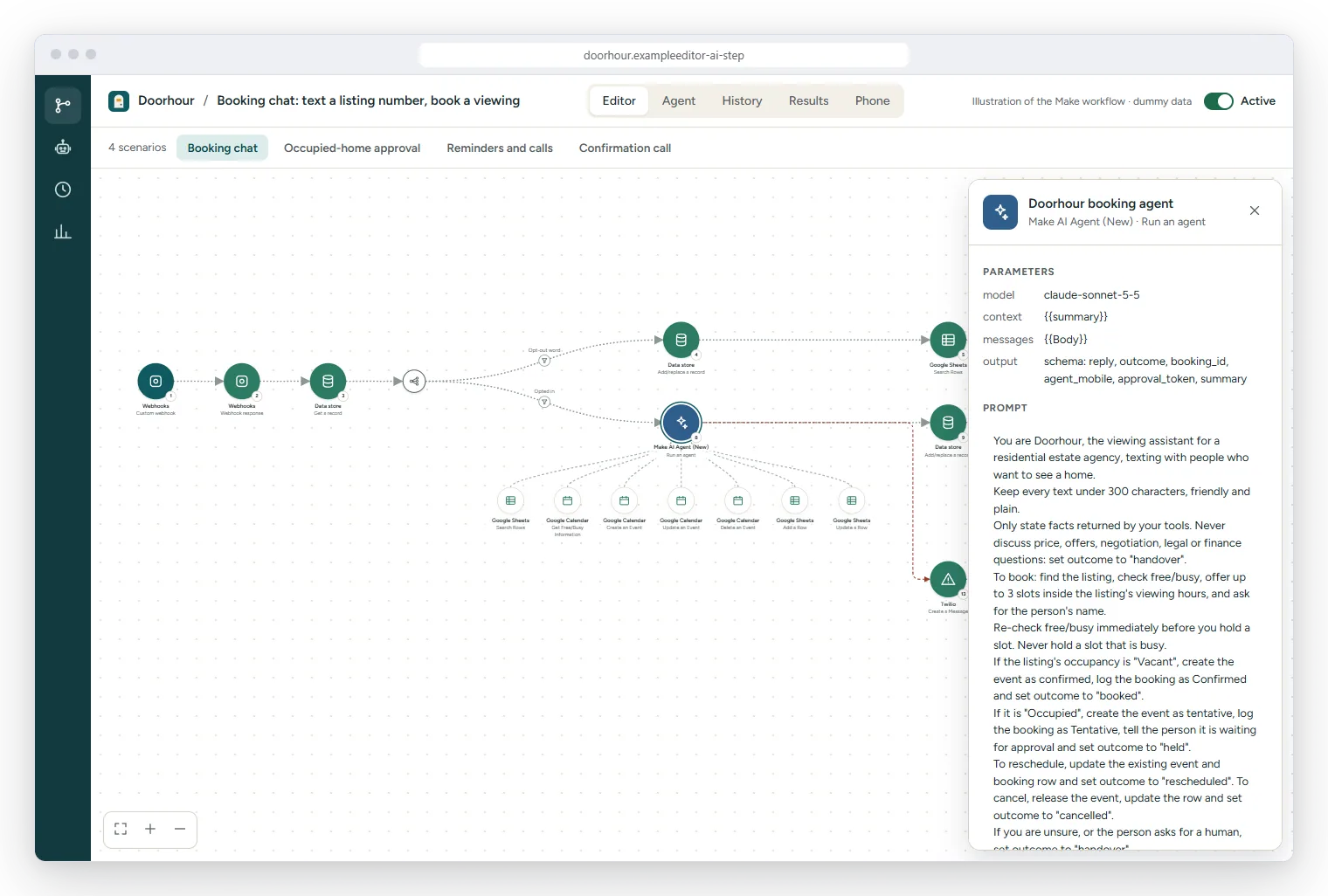
The Doorhour booking agent’s settings and prompt (an illustration with dummy data).
Reliability
When something fails, a person hears about it
If the agent fails, the prospect gets an apology text and the team gets a Slack alert.
If a text can’t be sent, Make stores the run and retries it. A calendar error in the approval and a failed call do the same, after a Slack alert.
Two calls with no keypress alert the team and mark the booking Unconfirmed. Every run stays in Make’s history.
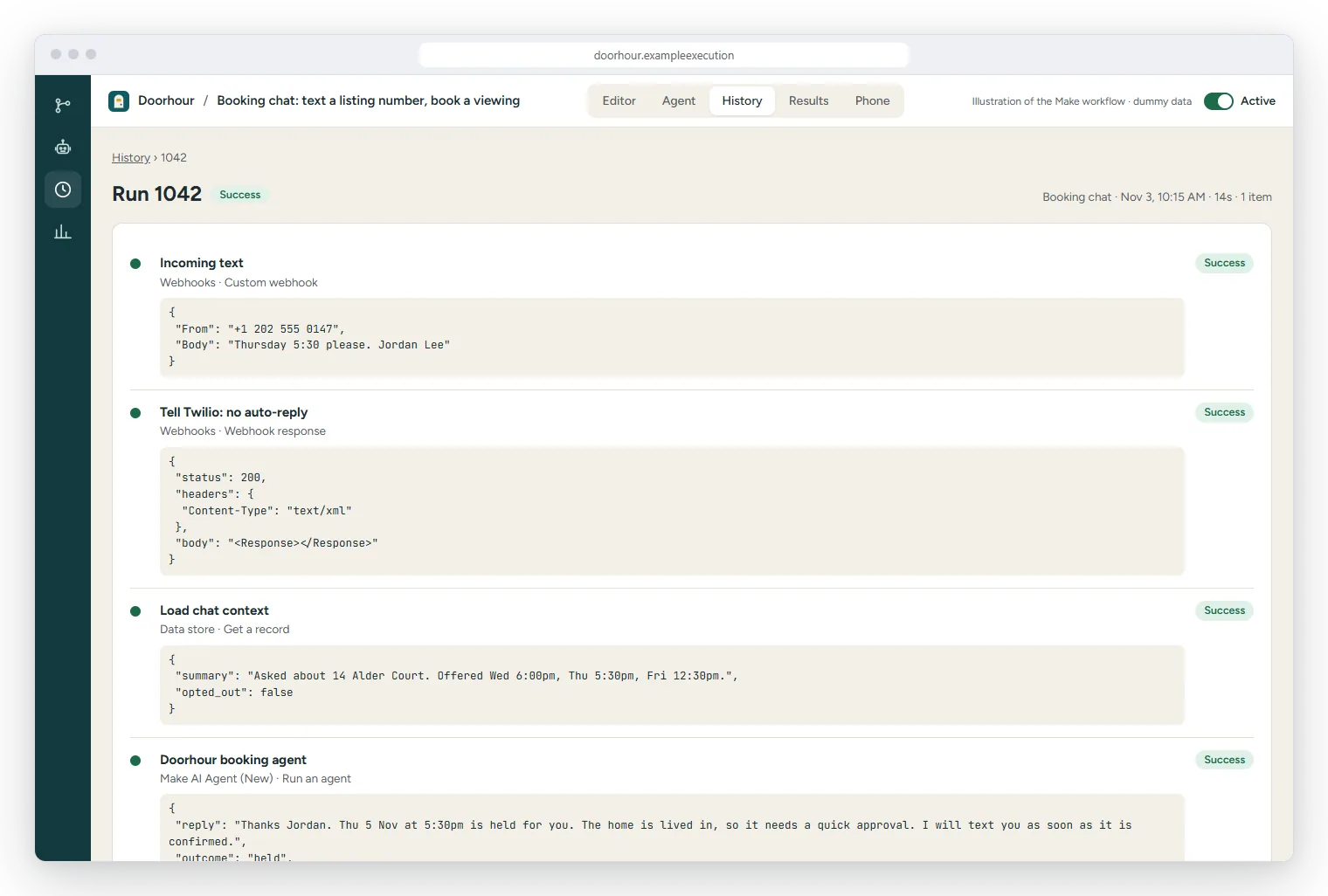
One booking chat run, step by step (an illustration with dummy data).
Apps, accounts and cost
What it needs, and what drives the cost
Make
Make Core, because of the own AI provider connection and four active scenarios (checked 2026-11-03). Make AI Agent (New) is in open beta. We estimate about 5,600 Make credits a month (assumes 60 viewings at 45 credits each, 4 inbound texts per viewing, and 2,880 reminder checks at 1 credit each).
Your apps
A Twilio number, Google Calendar, Google Sheets, Slack and an Anthropic API account. Names, mobile numbers, listings and slots pass through these, so before going live we’d check local rules for automated texts and calls.
What you pay for
Make bills in credits, usually one per module action. Twilio charges for texts and calls, and the AI model charges by usage. Viewings and texts per viewing drive the cost.
What the team sees
A simple text thread, and a clear record
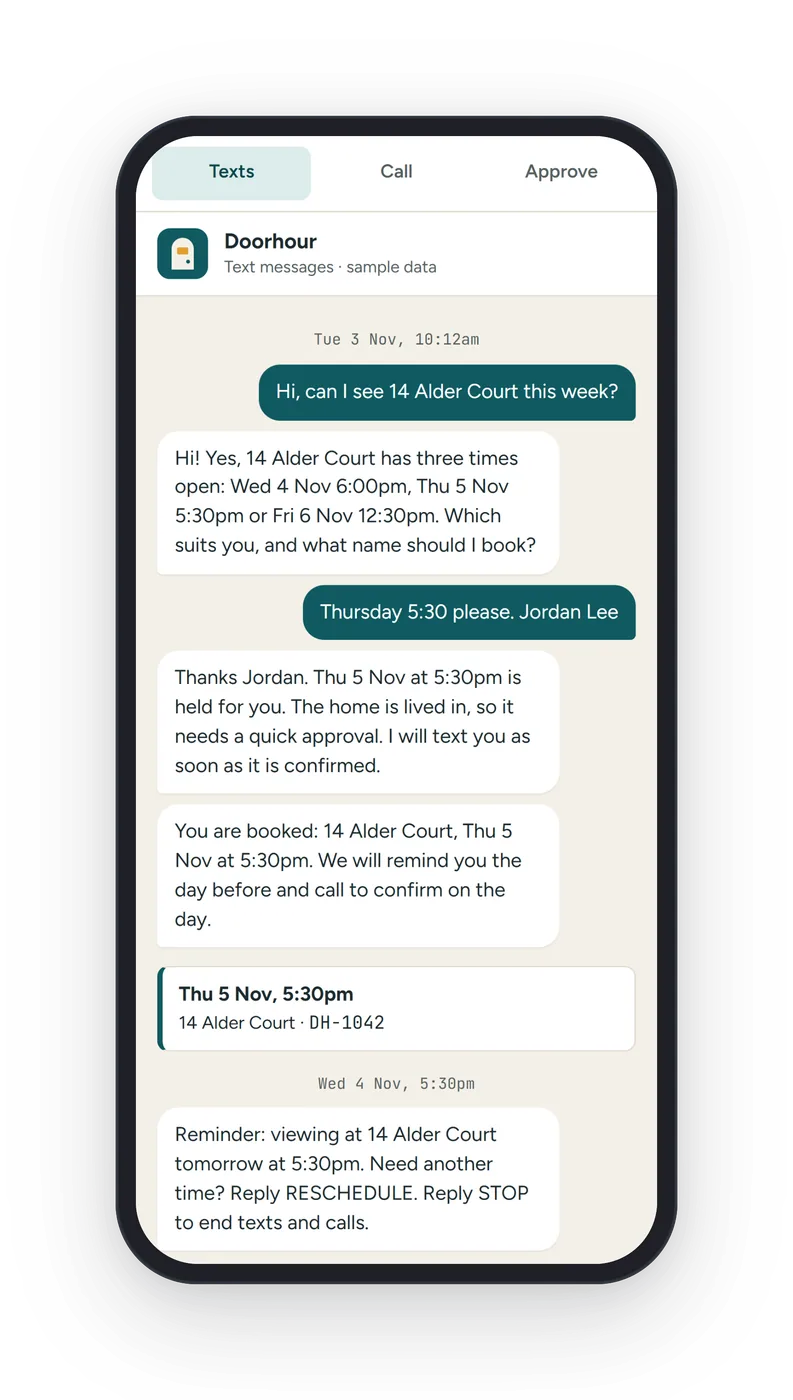
The prospect’s texts, from first question to reminder (an illustration with dummy data).
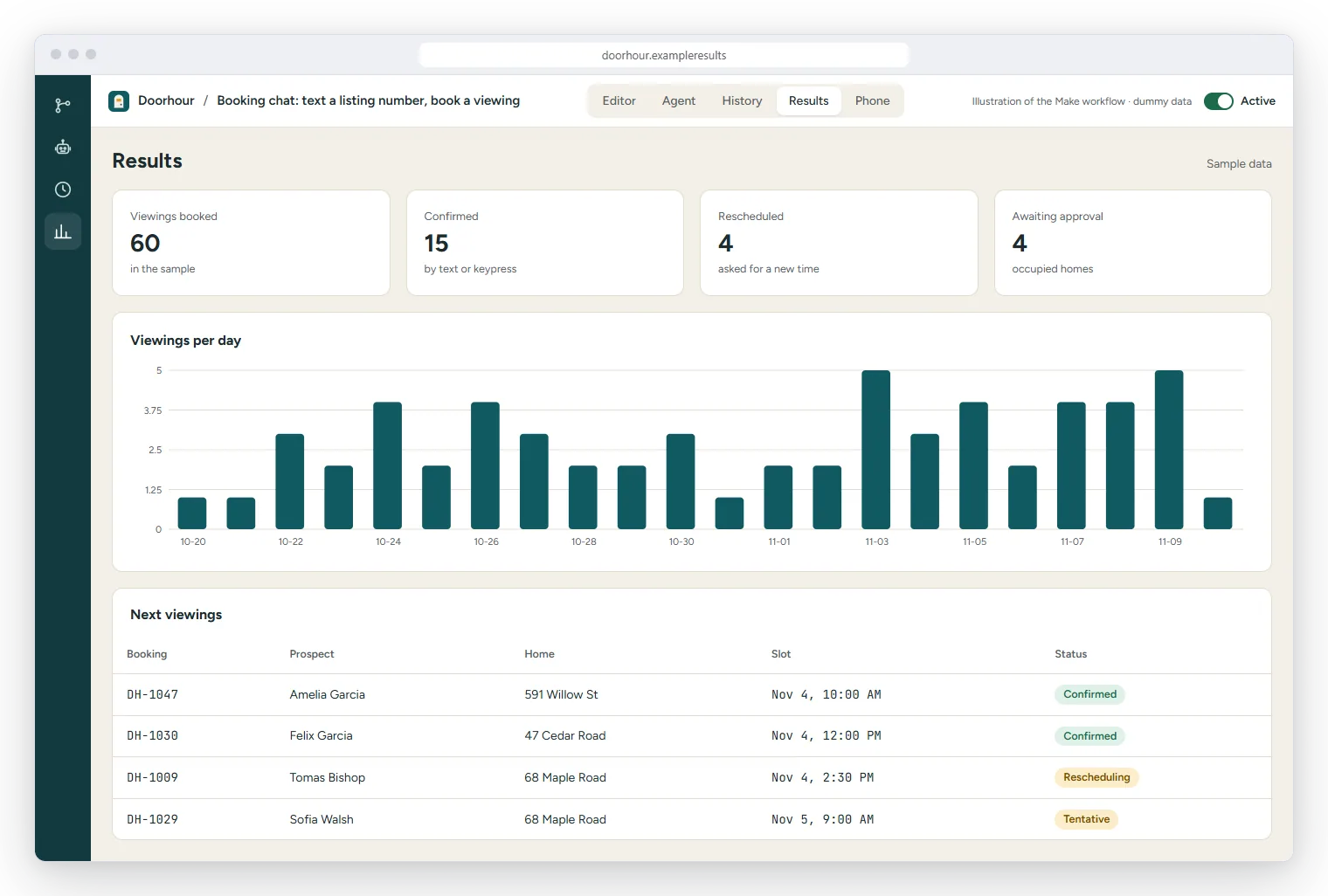
The results dashboard, with sample data.
Outcome
A concept, ready to adapt
Doorhour is a concept we can adapt and build for your agency. It hasn’t run with a real client, so we don’t quote results. It’s designed to take the back-and-forth out of booking while keeping people in charge of occupied homes and tricky questions.
An estimated 10 hours a month back for the coordinator, at most (assumes 60 viewings a month at 10 minutes each and no manual follow-ups, which real agencies will still have).
Request a demo
See it on a call
We’ll walk you through the clickable prototype on a call and answer your questions.