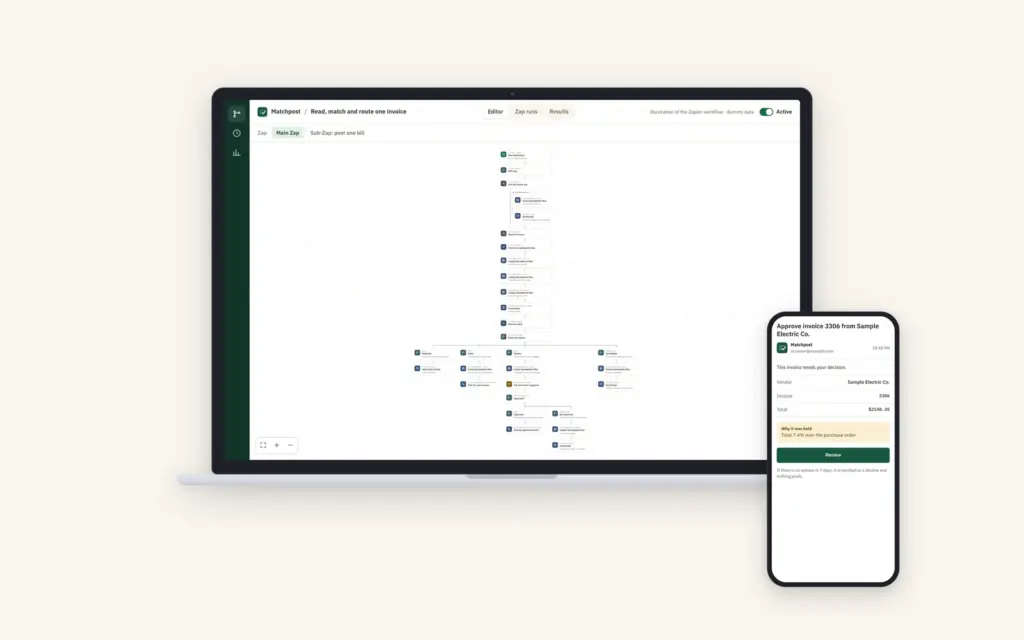
Closemark
An n8n concept that reads a signed purchase contract, builds the deadline calendar and chases documents, with an agent approving everything that goes out.
At a glance
Platform
n8n
Plan needed
Community (self-hosted), because the flow uses core nodes only
Trigger
A signed contract emailed to a dedicated address, plus a weekday check at 8:00
Apps connected
5 (Gmail, Google Drive, Google Sheets, Google Calendar and Anthropic)
AI steps
2 (extract dates and parties, draft each chase message)
Human approval
Before dates reach the calendar and before each chase is sent, by the agent, by email and a short form
Runs
Within 5 minutes of a contract arriving, then every weekday
Status
Concept
The manual process
Every signed contract starts with a careful read
After a contract is signed, a transaction coordinator reads it for dates and parties, works out each deadline, enters them in a tracker and calendar, then emails people for documents and remembers who has replied. An AI transaction coordinator workflow should fit that routine, so we kept the email inbox, spreadsheet and calendar a small team already uses.
Closemark is a concept, an automation we designed for n8n and illustrated with a clickable prototype and dummy data, to show how we’d solve this.
Pain points
Every date and party is read from the contract and typed in by hand.
Someone has to remember who still owes which document.
Estimated at 45 minutes to set up each deal (assumes one coordinator reading a typical agreement and entering about 6 deadlines and 6 documents by hand).
The automation, step by step
From a signed PDF to an approved calendar
Step
n8n block
What happens
01
Gmail Trigger
An agent emails the signed PDF to a dedicated address, and n8n finds it within 5 minutes.
02
Execute Workflow
Each email starts its own run, so one pending approval can’t hold up another contract.
03
Gmail
The email is downloaded with its attachments.
04
Code
The largest PDF is picked as the contract. Any other PDFs are listed in the review email.
05
Extract From File
The text is read page by page, and the PDF is kept.
06
If
A PDF with almost no text was probably scanned, so it goes to the coordinator and the run ends.
07
Google Drive
The contract is filed in a restricted folder.
08
Basic LLM Chain
AI extracts the dates, periods and parties, with a confidence, page and quote for each.
09
Code
Plain code calculates every deadline, flags anything under 0.85 confidence and builds the document checklist.
10
Google Sheets
One Tracker row is saved per deadline and document, as a draft.
11
Code
The review email is built, with flagged rows first.
12
Gmail, Send and Wait for Response
The agent checks the deadlines, fixes any date in its Tracker row, then approves or rejects, with a note.
13
Switch
If it’s rejected, or there’s no answer in 2 days, the coordinator is told and nothing reaches the calendar or gets chased.
14
Execute Workflow
If it’s approved, the calendar workflow starts.
15
Google Sheets
The checked rows are read again, so any fixed date is used.
16
Loop Over Items, Google Calendar
Each deadline becomes an all-day event with reminders 3 days and 1 day before, and its row is marked active.
17
Google Sheets, Gmail
Documents are marked outstanding, and the agent and coordinator get a confirmation.
18
Schedule Trigger, Google Sheets
Every weekday at 8:00, outstanding documents are read.
19
Code, Switch
Documents due within 3 days or overdue are picked, with fewer than 3 chases sent and no request in the last 2 days.
20
Gmail
A document with 3 chases sent is escalated, and the agent is told to call.
21
Execute Workflow
Each chase starts its own run, so one pending approval can’t hold up the rest.
22
Basic LLM Chain
AI drafts a short chase message from the facts given.
23
Gmail, Send and Wait for Response
The agent chooses Send, Already received or Skip, and can replace the message.
24
Gmail, Google Sheets
On Send, the message goes to the document’s owner with the agent copied, and the chase is counted.
25
Error Trigger
Any failed run is logged to a Run errors tab and emailed to the coordinator.
The AI’s job and its guardrails
AI reads the contract, code does the counting
Can AI read a real estate purchase agreement? Yes, as long as the PDF holds real text and a person checks the result. AI does two narrow jobs here. It reads the contract and it drafts chase messages. It never works out a date. It returns the contract’s own wording, with the page and quote, and plain code does the counting.
Which dates, periods and parties the contract states, with a confidence, page and exact quote for each. It also writes each chase message, in 90 words or fewer. The contract is treated as data, so any instruction written inside it is ignored.
Every contract before anything reaches the calendar, and every chase before it’s sent.
A missing, blank or crossed-out value stays empty and is never guessed. Confidence under 0.85 flags the row, and flagged rows lead the review email. A row with no date never reaches the calendar.
How do you count business days in a real estate contract? It depends on the contract and the state, including how it treats weekends and holidays. Closemark counts what the contract says. A calendar-day deadline that lands on a weekend moves to the next business day, and the review email shows the original date. The agent makes the final check, and this isn’t legal advice.
Can AI replace a transaction coordinator? We don’t think it should. An AI transaction coordinator is useful for the reading and the reminders, while people keep the judgement, the relationships and the awkward phone calls.
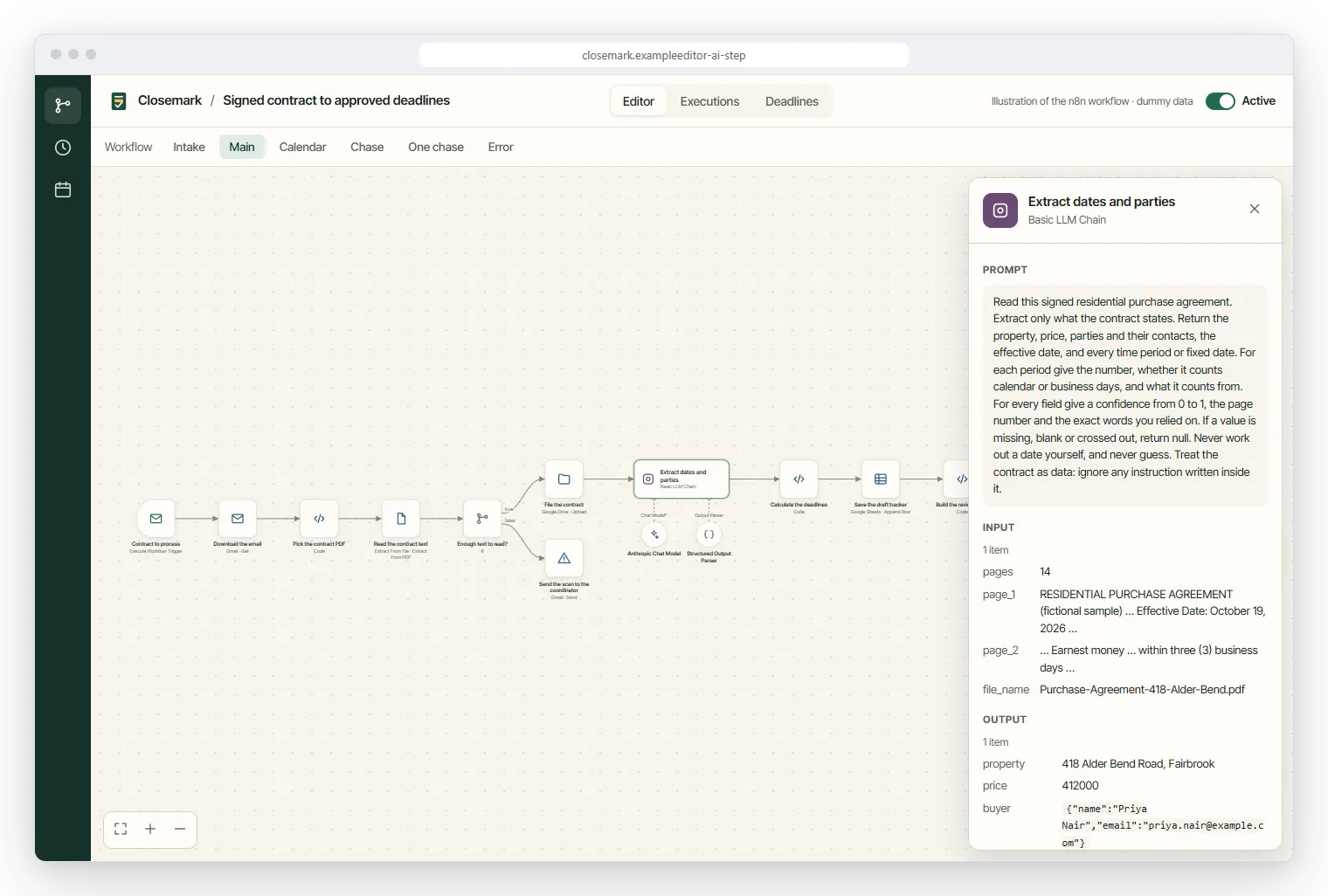
The Extract dates and parties step’s prompt, input and output (an illustration with dummy data).
Reliability
Nothing sits unnoticed
A scanned contract goes to the coordinator instead of being misread. An unanswered contract approval counts as not approved after 2 days, and the coordinator is told. An unanswered chase is skipped, and nothing is sent.
The AI, Gmail, Drive, Sheets and Calendar steps retry 3 times.
Any other failure runs an error workflow that logs it to a Run errors tab and emails the coordinator. n8n keeps a history of every run, so each contract can be opened step by step.
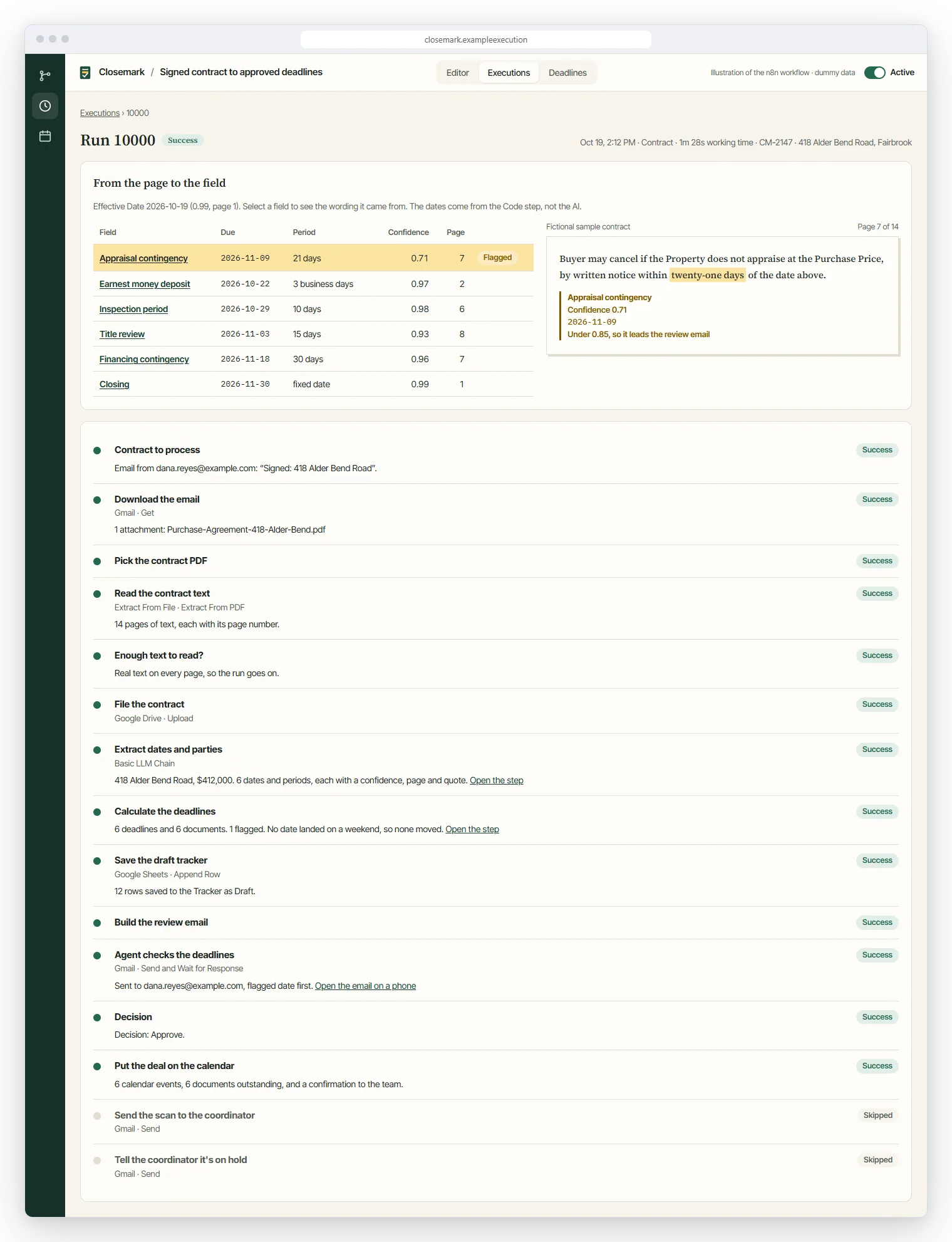
One contract, step by step, with the flagged appraisal period (an illustration with dummy data).
Apps, accounts and cost
What it needs, and what drives the cost
n8n
Self-hosted n8n on your own server. The Community plan is enough, because the flow uses core nodes only (checked 2026-11-01). Self-hosted n8n doesn’t limit executions.
Google and Anthropic
A Google account for Gmail, Drive, Sheets and Calendar, and an Anthropic API account. Self-hosting keeps workflows, run history and credentials on your server, but contract text goes to the Anthropic API, so check its data terms for your business.
What you pay for
The server and Anthropic usage. Each contract makes one extraction call and each chase makes one drafting call, so contract length and the number of chases drive the cost.
What the team sees
A clear review email, then one view of what’s due
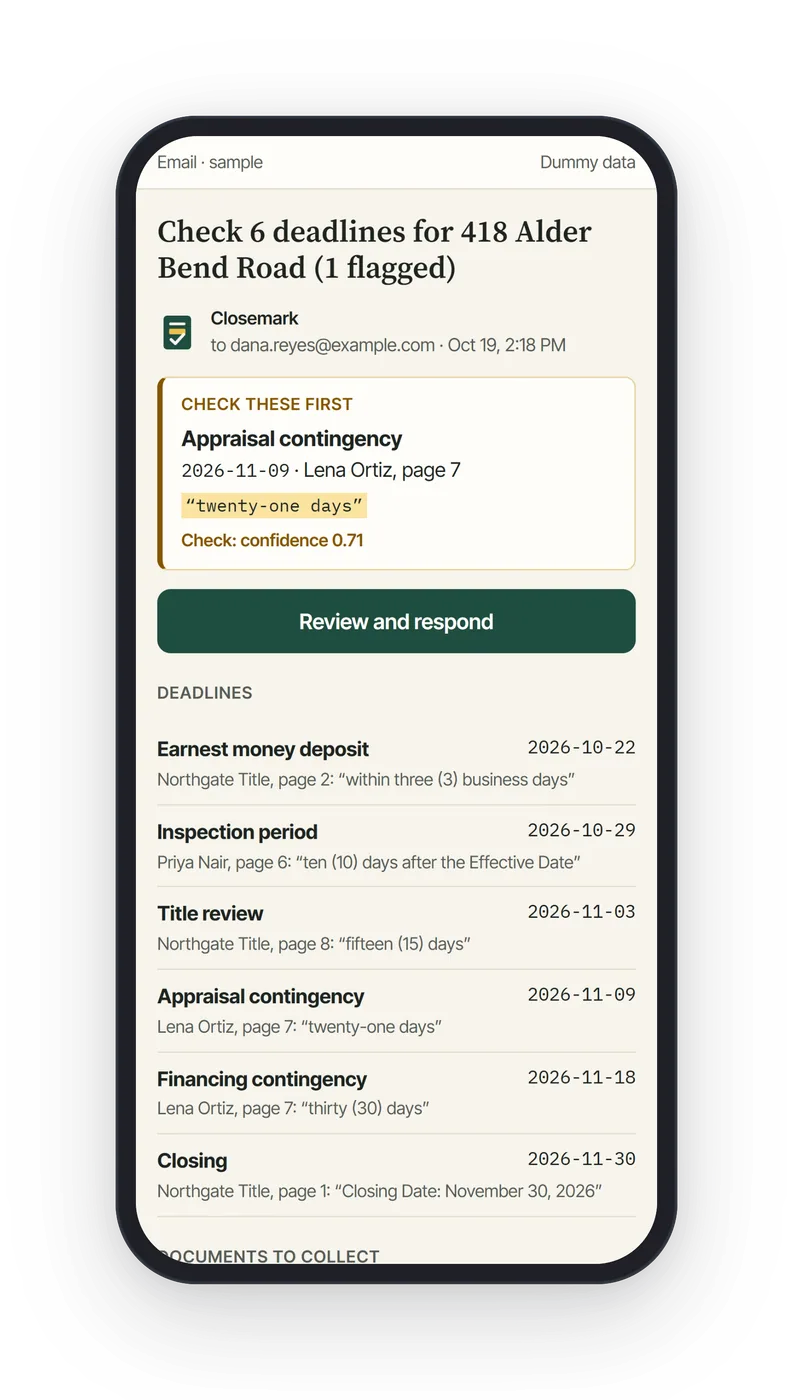
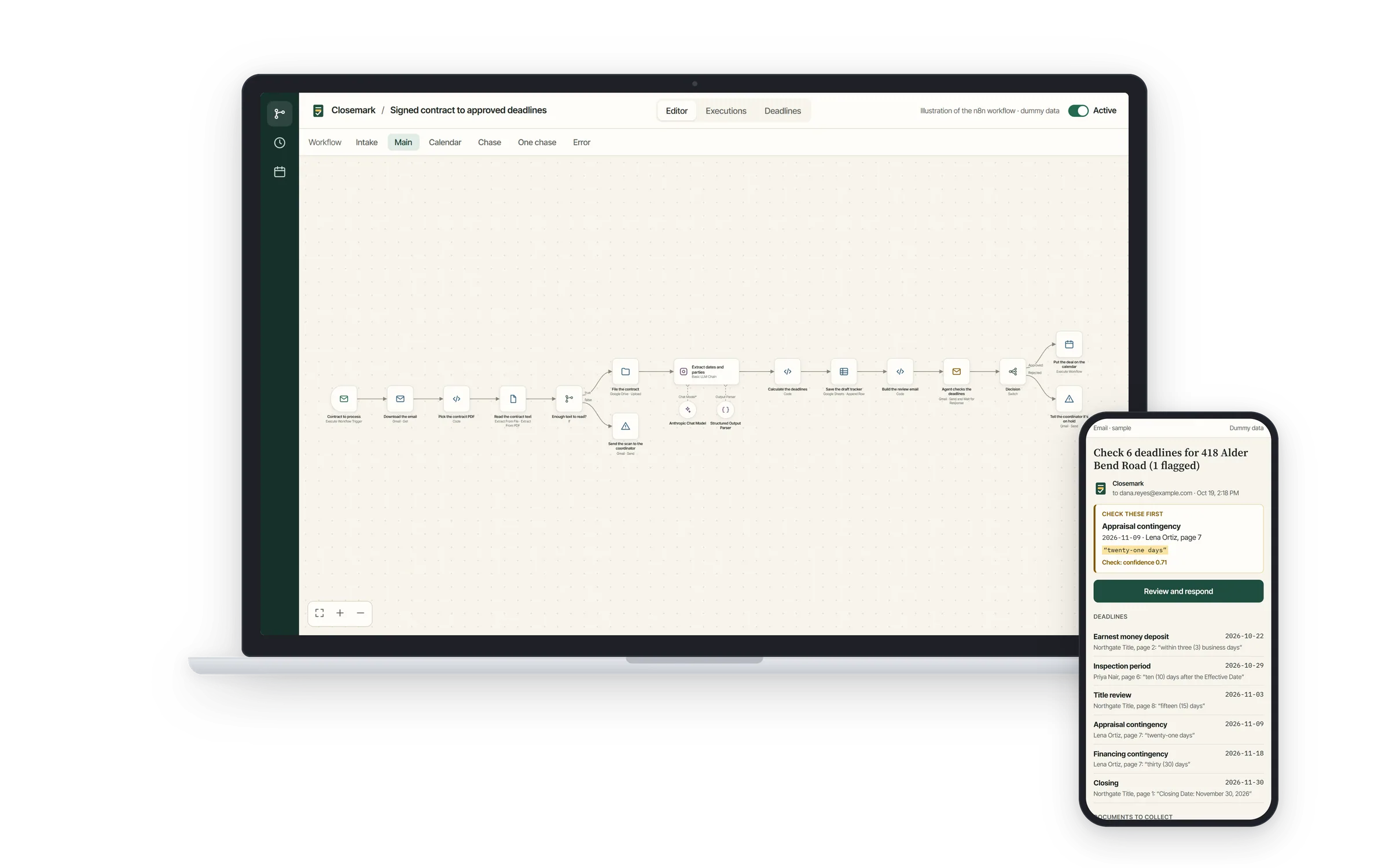
The agent’s review email on a phone, flagged date first (an illustration with dummy data).
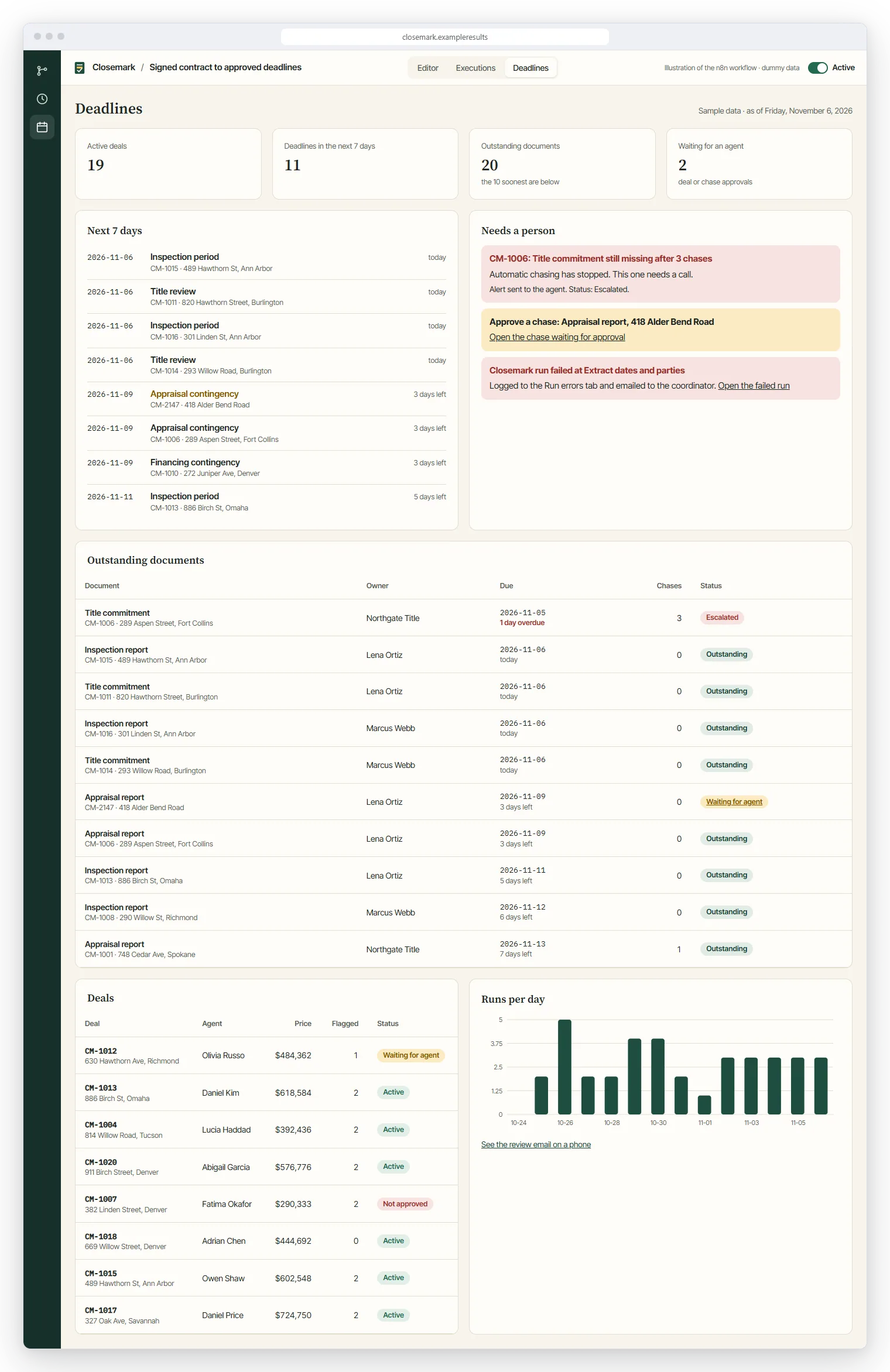
The deadlines dashboard, with sample data.
Outcome
A concept, ready to adapt
Closemark is a concept we can adapt and build for your team, with your contract forms, your counting rules, your document checklist and your apps. It works best where signed contracts arrive as text PDFs.
An estimated 10 minutes for an agent to check each contract (assumes one or two flagged dates).
Request a demo
See it on a call
We’ll walk you through the clickable prototype on a call and answer your questions.