Listwright
Listwright turns raw property specs into fact-checked listing copy, SEO meta tags and Spanish and Chinese translations, with the listing agent approving everything.
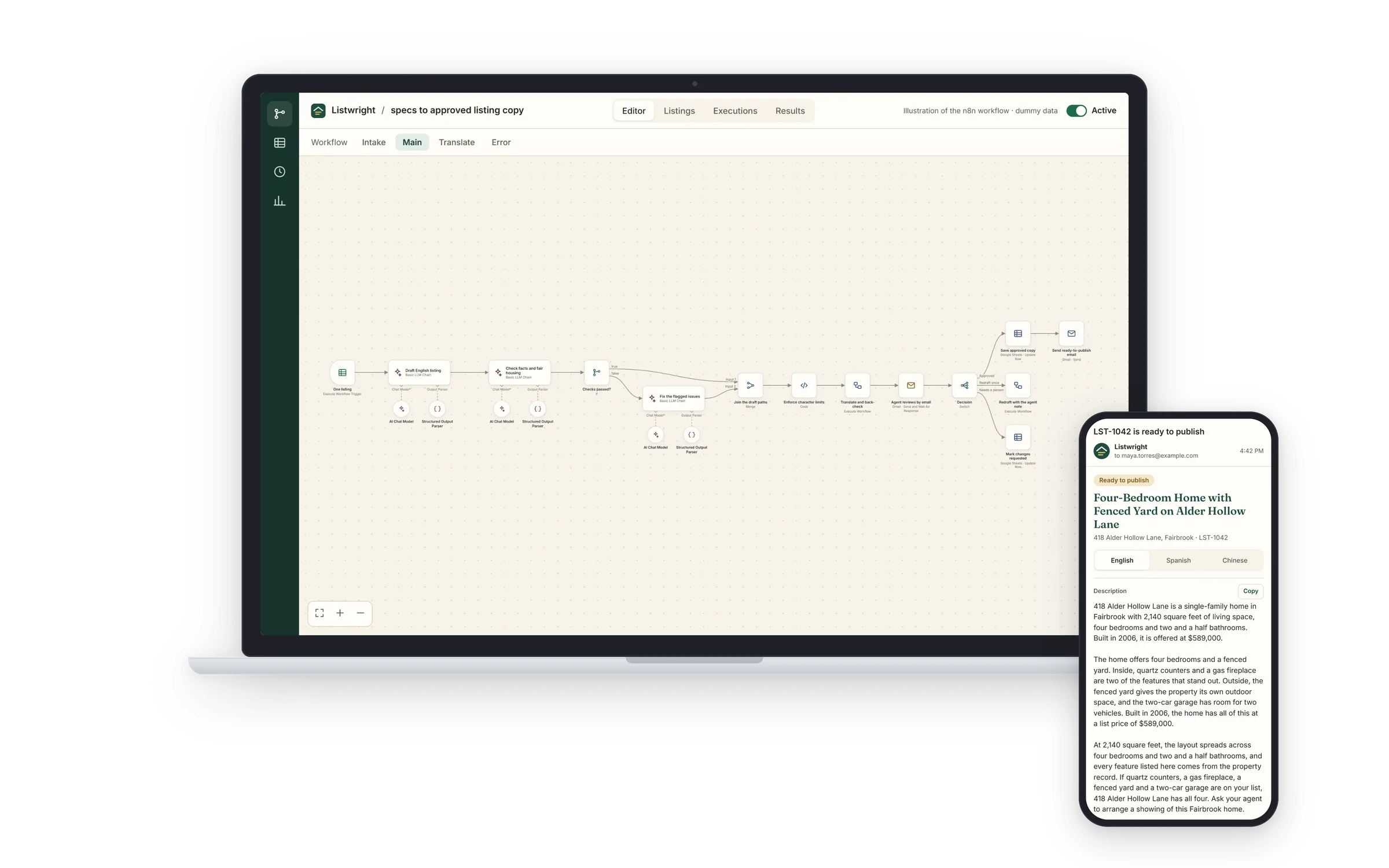
At a glance
Platform
n8n
Plan needed
Community (self-hosted), because the flow uses core nodes only
Trigger
A listing’s status changes to Ready in a listings sheet
Apps connected
3 (Google Sheets, Gmail and an AI chat model)
AI steps
5 (draft, check, fix, translate, back-check)
Human approval
Before saving, by the listing agent, by email and a short form
Runs
Every 5 minutes (polling), one run per listing
Status
Concept
The manual process
One property, written several times
A listing agent keeps property specs in a spreadsheet, then writes the same property several times, as the description, the MLS remarks and the SEO text, before the copy goes out for Spanish and Chinese translation. We kept that spreadsheet as the starting point.
Listwright is a concept, an automation we designed for n8n and illustrated with a clickable prototype and dummy data, to show how we’d solve this.
Pain points
The description, MLS remarks and SEO text are each written by hand.
Spanish and Chinese versions are a separate job.
Estimated at 45 minutes per listing (assumes one agent writing English copy and SEO text and handling three languages).
The automation, step by step
From a row in a sheet to approved copy
Step
n8n block
What happens
01
Google Sheets Trigger
A listing’s status changes in the sheet. Other edits don’t start a run.
02
Filter
The run continues only if Status is “Ready”.
03
Google Sheets
Status becomes “In progress”.
04
Execute Workflow
Each listing gets its own run, so two at once can’t get mixed up.
05
Basic LLM Chain
AI drafts the title, description, MLS remarks, SEO title and meta description from the row’s facts only.
06
Basic LLM Chain
AI checks the draft for invented or changed facts and for fair-housing wording.
07
If
When the checks pass, the draft moves on. When they don’t, the next step runs.
08
Basic LLM Chain
AI fixes only the flagged issues and records what changed.
09
Merge
Both paths join back together.
10
Code
The character limits are enforced on the English copy.
11
Execute Workflow
A sub-workflow translates the copy into Spanish and Simplified Chinese, then translates each version back to compare it with the English.
12
Gmail, Send and Wait for Response
The agent gets everything by email, with a button that opens a short form. The run waits for the answer.
13
Switch
The answer decides what happens next.
14
Google Sheets
If approved, the copy is saved to per-language columns and Status becomes “Approved”.
15
Gmail
If approved, the agent gets a “ready to publish” email.
16
Execute Workflow
If changes are requested with a note, the listing is redrafted once and comes back for review.
17
Google Sheets
If it’s declined again, or there’s no note, Status becomes “Changes requested” for a person to take over.
The AI’s job and its guardrails
Five AI steps, one job each
Each AI step does one job, and only the row’s facts count. The check catches claims that aren’t in the data, and wording that implies a preference about protected classes. It’s an aid rather than legal review, so the agent stays responsible for the published copy.
It drafts, checks, fixes, translates and back-checks. Code steps hold every language to the character limits and flag anything shortened.
A person approves everything. Nothing is marked approved without the agent, who sees every version, the fixes made and any flags.
When it isn’t sure, the flags go in the approval email. A fixed draft isn’t checked a second time, so the back-check and the agent’s review catch what’s left.
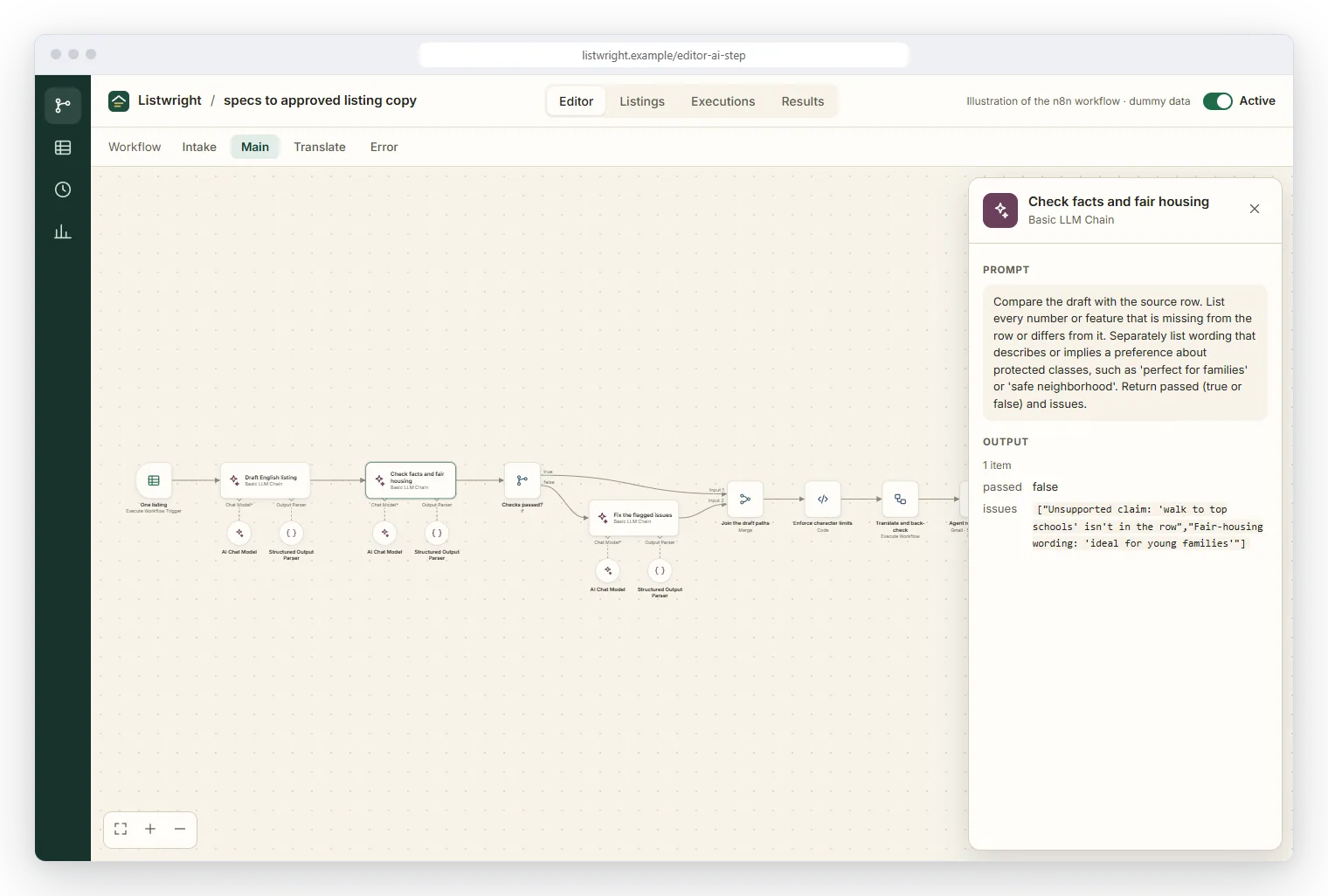
The check step’s prompt and a failed result (an illustration with dummy data).
Reliability
Failures get logged and someone hears about them
If a step still fails after its retries, an error workflow logs it to a “Run errors” tab. The listing stays “In progress” until someone sets it back to “Ready”.
AI, Gmail and Google Sheets steps retry 3 times.
The same error workflow emails the operations lead, and n8n keeps a full run history, so each listing’s run can be opened step by step.
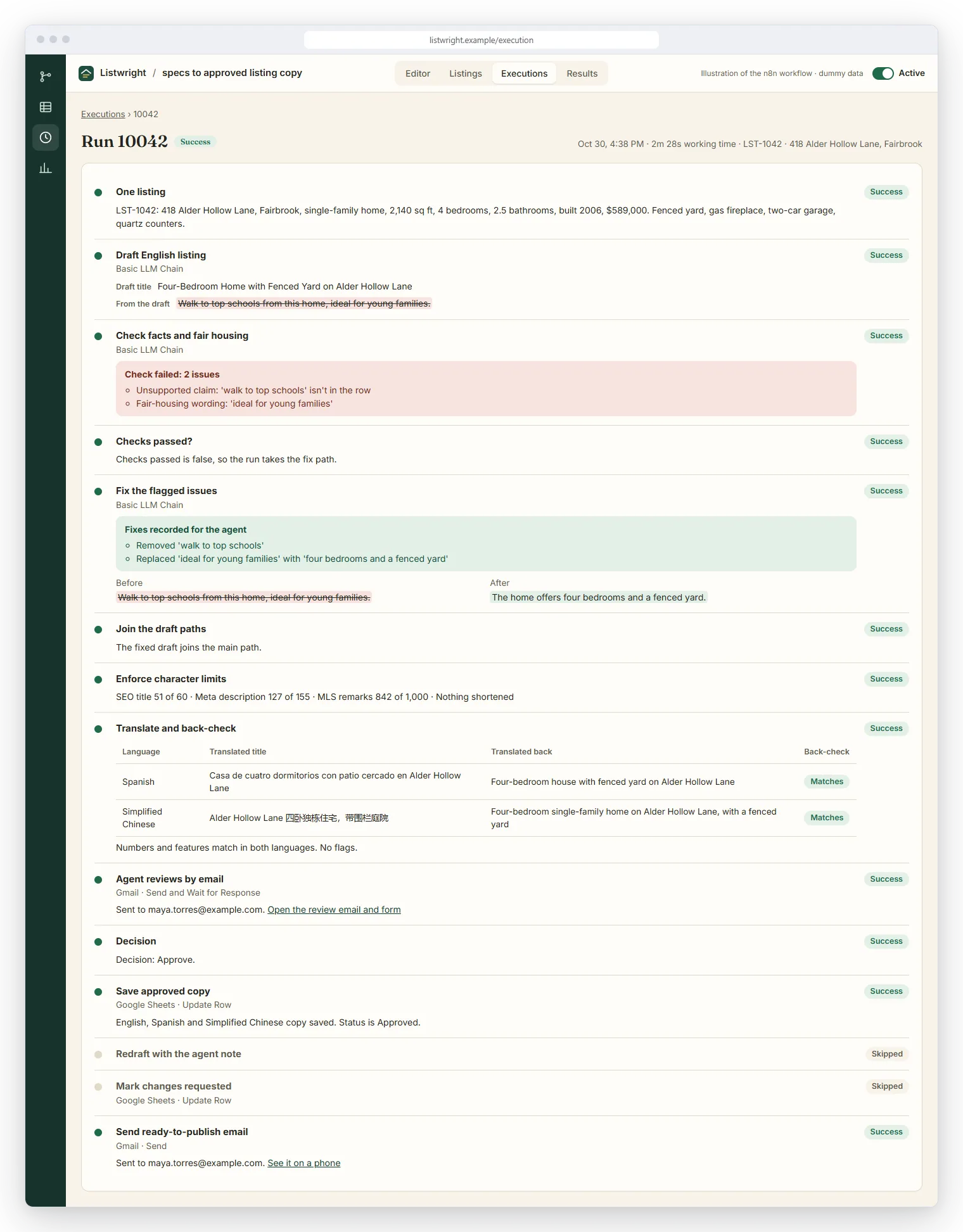
One run, step by step, where the check caught two issues (an illustration with dummy data).
Apps, accounts and cost
What it needs, and what drives the cost
n8n
Self-hosted n8n on your own server. The Community plan is enough, because the flow uses core nodes only (checked 2026-10-30). Self-hosted n8n doesn’t limit executions.
A Google account for Sheets and Gmail. The sheet holds the specs and the copy, and Gmail carries the review and “ready to publish” emails.
AI model
An API account with an AI model provider. It reads the property specs and the copy.
What you pay for
The server and model usage. Each run makes 6 AI calls, or 7 if the draft needs a fix, and a redraft repeats them.
What the team sees
One email to review, one to say it’s ready
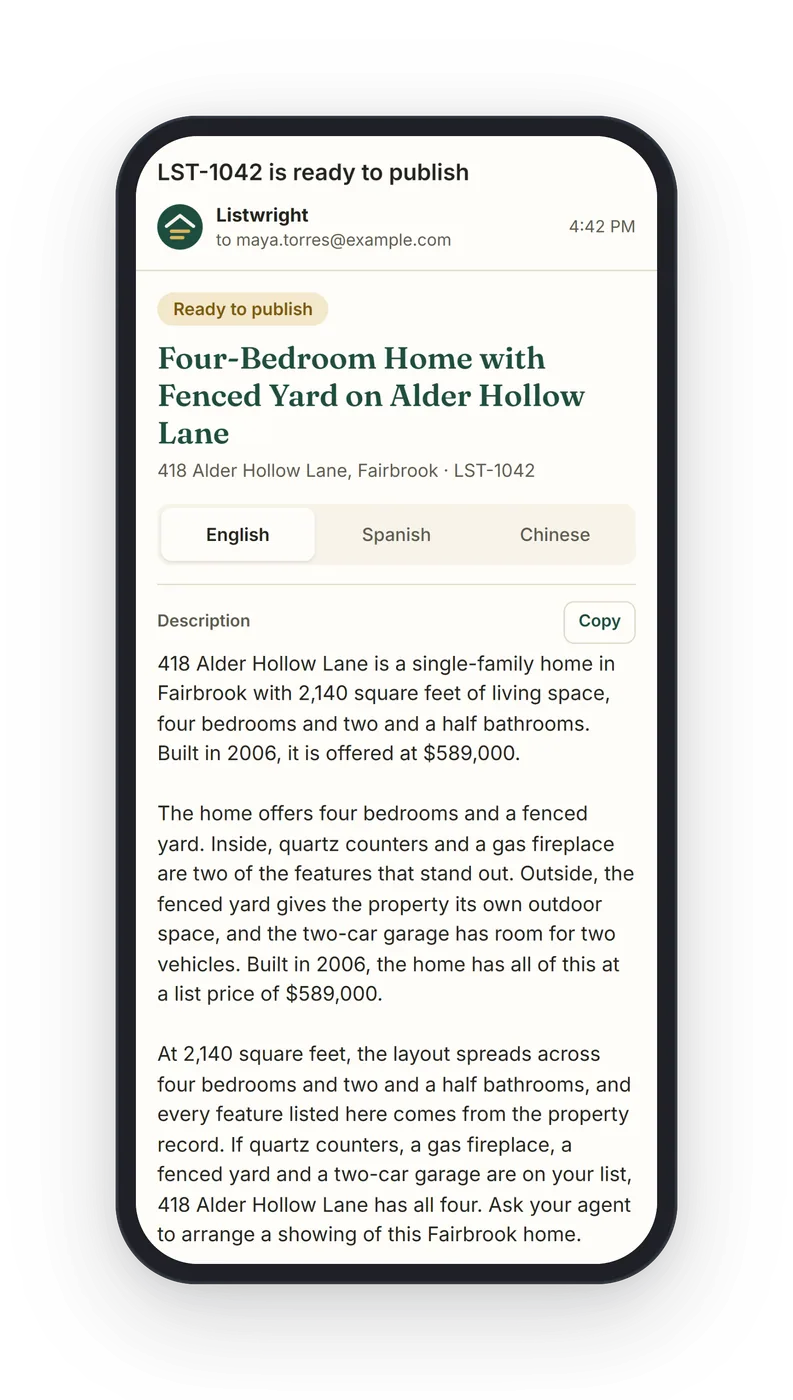
The “ready to publish” email on a phone (an illustration with dummy data).
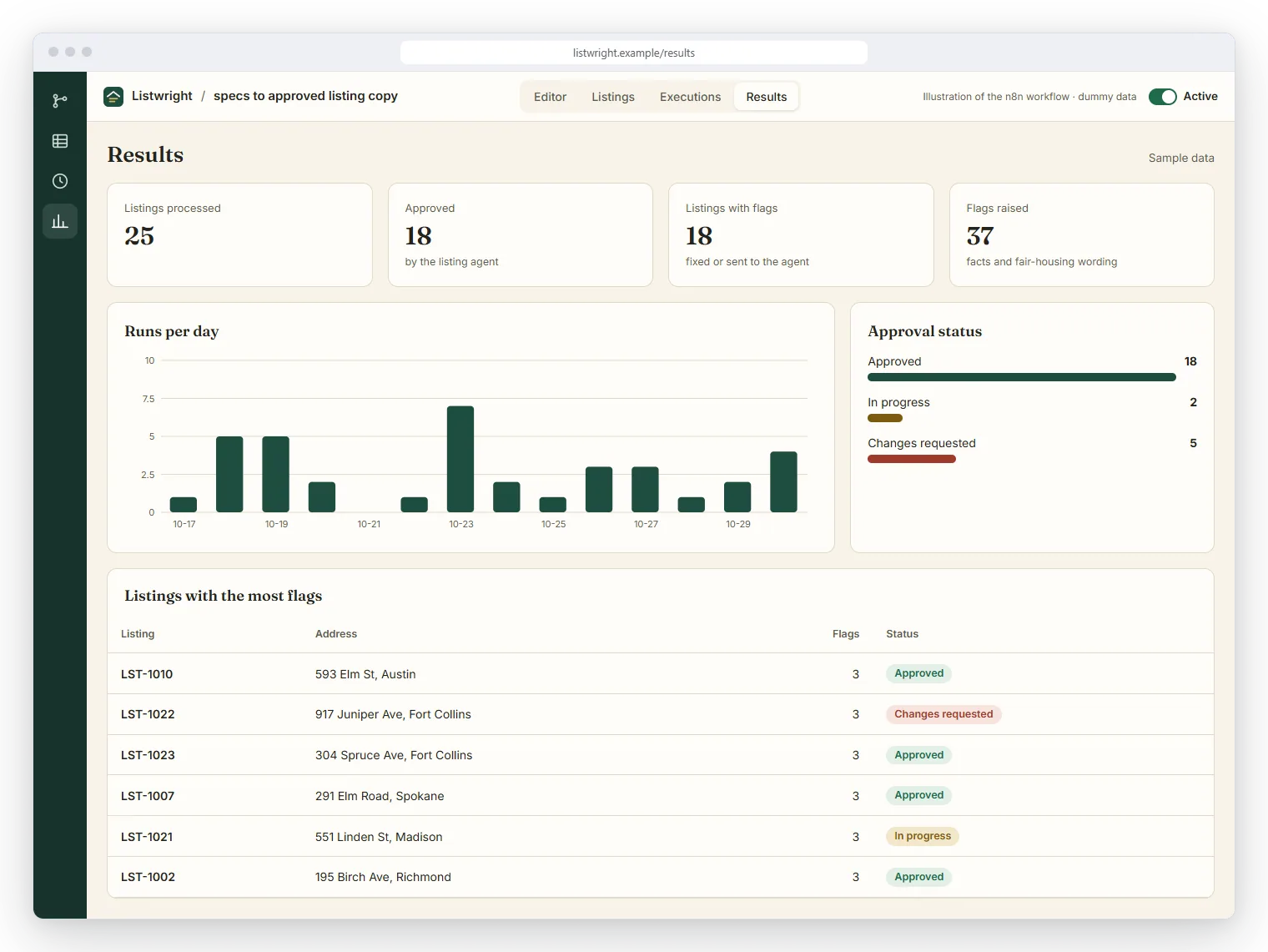
The results dashboard, with sample data.
Outcome
A concept, ready to adapt
Listwright is a concept we can adapt and build for your brokerage, with your sheet or CRM, your languages and your MLS limits.
An estimated 5 minutes of agent review per listing (assumes a clean draft and no changes requested).
Request a demo
See it on a call
We’ll walk you through the clickable prototype on a call and answer your questions.